Star 01 - Graphic tablet XP-Pen - Free user manual and instructions
Find the device manual for free Star 01 XP-Pen in PDF.


Pick your language and provide your email: we'll send you a specifically translated version.
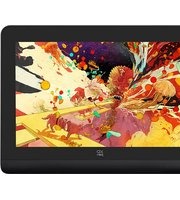
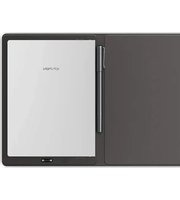
| Product Type | Graphic Tablet |
| Brand | XP-Pen |
| Model | Star 01 |
| Interface | USB 2.0 |
| Active Area | 254 × 152 mm (10 × 6 inches) |
| Pressure Levels | 2048 levels |
| Resolution | 5080 LPI |
| Reading Speed | 200 RPS |
| Dimensions | 320 × 210 × 10 mm |
| Weight | Approximately 500 g |
| Power Source | Powered via USB (5V DC) |
| Operating Systems Supported | Windows 7/8/10, macOS 10.10 or later |
| Main Functions | Drawing, sketching, shading, animation |
| Pen Technology | Battery-free stylus with electrodes |
| Pen Tilt Support | ±60 degrees (estimated) |
| Shortcut Keys | 8 programmable express keys |
| Maintenance & Cleaning | Wipe with a soft, dry, lint-free cloth; avoid solvents |
| Safety Instructions | Do not expose to water, moisture, or extreme temperatures |
| Spare Parts & Repairability | Replacement pen and pen nibs available from XP-Pen |
| General Information | Compatible with popular design software such as Photoshop, Illustrator, and SAI |
| Package Contents | Tablet, pressure-sensitive pen, USB cable, driver CD, quick start guide |
| Warranty | 1-year limited hardware warranty |
Frequently Asked Questions - Star 01 XP-Pen
How do I install the driver for the XP-Pen Star 01?
Download the latest driver from the XP-Pen official website, uninstall any previous versions, then run the installer and restart your computer. Connect the tablet via USB after installation.
Is the Star 01 compatible with my operating system?
The tablet supports Windows 7/8/10 and macOS 10.10+. Check the XP-Pen website for the latest driver to ensure full compatibility.
Why is the pen not recognized or cursor doesn't move?
First, check if the USB cable is properly connected. Then verify the driver is installed and the software is running. If needed, recalibrate the pen in the driver settings.
How can I adjust the pressure sensitivity?
Open the XP-Pen driver, select the Pressure tab, and adjust the sensitivity curve and pressure strength to suit your drawing style.
Does the tablet support left-handed use?
Yes, you can flip the tablet and rotate the orientation in the driver settings. The express keys can also be remapped for left-hand use.
What software can I use with this tablet?
The Star 01 works with Photoshop, Illustrator, CorelDRAW, SAI, Clip Studio Paint, and many other design and animation programs.
How do I clean the tablet and pen?
Use a soft, dry, lint-free cloth to gently wipe the surface. Avoid alcohol or abrasive cleaners that may damage the finish.
How many shortcut keys are there and can I customize them?
The tablet features 8 programmable express keys. Use the driver to assign keyboard shortcuts, functions, or application-specific commands.
Can I use the pen without a battery?
Yes, the XP-Pen Star 01 pen is battery-free and uses electromagnetic resonance technology, so no charging is needed.
What should I do if the pen tip is worn or damaged?
You can replace the pen nib. Remove the old nib with a tweezer or the provided nib remover, then insert a new nib in the same slot.
User questions about Star 01 XP-Pen
0 question about this device. Answer the ones you know or ask your own.
Ask a new question about this device
No questions yet. Be the first to ask one.
Download the instructions for your Graphic tablet in PDF format for free! Find your manual Star 01 - XP-Pen and take your electronic device back in hand. On this page are published all the documents necessary for the use of your device. Star 01 by XP-Pen.
USER MANUAL Star 01 XP-Pen
Manual assistant
Powered by Anthropic
Waiting for your message
Product information
Brand : XP-Pen
Model : Star 01
Category : Graphic tablet