Star 03 - Graphic tablet XP-Pen - Free user manual and instructions
Find the device manual for free Star 03 XP-Pen in PDF.


Pick your language and provide your email: we'll send you a specifically translated version.
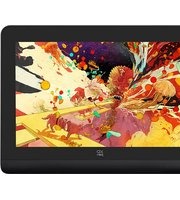
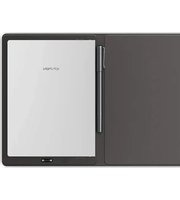
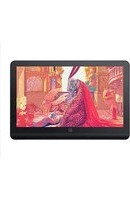
| Product Type | Graphic Tablet |
| Brand | XP-Pen |
| Model | Star 03 |
| Active Area | 6.3 x 4.0 inches (16.0 x 10.2 cm) |
| Dimensions | 200 x 180 x 8 mm (7.9 x 7.1 x 0.3 in) |
| Weight | 370 g (0.82 lbs) |
| Power Source | USB bus-powered (5V, 500mA) |
| Connectivity | USB-A (cable included, 1.5m) |
| Pen Technology | Battery-free electromagnetic resonance |
| Pressure Levels | 8192 |
| Pen Tilt Support | ±60 degrees |
| Report Rate | 266 RPS |
| Resolution | 5080 LPI |
| Express Keys | 6 programmable buttons |
| Compatibility | Windows 7/8/10/11, macOS 10.10+, Linux (limited), Android (with OTG adapter) |
| Software Bundled | None (drivers available free from XP-Pen website) |
| Pen Nib Type | Standard, replaceable (10 nibs included) |
| Maintenance | Clean with soft dry cloth; avoid liquids and abrasives |
| Safety | Intended for indoor use; keep away from moisture and extreme temperatures |
| Spare Parts Availability | Replacement pens, nibs, and USB cables available from XP-Pen store |
| Repairability | Not user-serviceable; contact XP-Pen support for issues |
| Warranty | 1 year limited warranty |
| Package Contents | Tablet, Pen, USB cable, 10 pen nibs, nib remover, quick guide |
Frequently Asked Questions - Star 03 XP-Pen
How do I connect the XP-Pen Star 03 to my computer?
Connect the included USB cable to the tablet and a USB port on your computer. Download and install the latest driver from the XP-Pen website. Restart your computer if prompted. The tablet should be recognized automatically.
Why is my pen not working?
First, check if the driver is installed correctly. Try reconnecting the USB cable. If the pen still has no pressure, open the pen settings in the driver and test pressure. Remove and reinsert the nib. If issues persist, contact XP-Pen support.
Is the XP-Pen Star 03 compatible with Chromebook?
The Star 03 is not officially supported on Chrome OS. However, some users have had limited success using it with certain applications that support generic input devices. We recommend using Windows or macOS for full functionality.
How do I change the pen nib?
Use the included nib remover tool or a pair of tweezers to gently pull the old nib straight out. Insert a new nib into the pen tip until it clicks into place. Do not force it.
Can I use the tablet on Android?
Yes, if your Android device supports USB OTG (On-The-Go). Connect the tablet via an OTG adapter and install the XP-Pen Android driver if available. Note that not all apps support pressure sensitivity.
What are the system requirements?
Windows 7 or later, macOS 10.10 or later, Linux (limited), or Android with OTG. A USB port and internet connection for driver download. At least 1GB free disk space.
How do I customize the express keys?
Open the XP-Pen driver software. Select the 'Express Keys' tab. Click on the key you want to customize and choose a function from the list, such as undo, save, or keyboard shortcuts. Apply changes.
Does the tablet work without a driver?
Basic mouse cursor control works without a driver, but pressure sensitivity and express keys require the driver to be installed. Always install the latest driver for full functionality.
How do I clean the tablet surface?
Use a soft, lint-free cloth slightly dampened with water or isopropyl alcohol. Wipe gently in one direction. Avoid abrasive cleaners or spraying liquid directly onto the tablet.
The tablet is not recognized by my computer. What should I do?
Try a different USB port and cable. Ensure the driver is correctly installed. Restart your computer. If using Windows, check Device Manager for errors. On macOS, check System Information. If nothing works, uninstall and reinstall the driver.
User questions about Star 03 XP-Pen
0 question about this device. Answer the ones you know or ask your own.
Ask a new question about this device
No questions yet. Be the first to ask one.
Download the instructions for your Graphic tablet in PDF format for free! Find your manual Star 03 - XP-Pen and take your electronic device back in hand. On this page are published all the documents necessary for the use of your device. Star 03 by XP-Pen.
USER MANUAL Star 03 XP-Pen
Manual assistant
Powered by Anthropic
Waiting for your message
Product information
Brand : XP-Pen
Model : Star 03
Category : Graphic tablet