Artist 13.3 Pro V2 - Graphic tablet XP-Pen - Free user manual and instructions
Find the device manual for free Artist 13.3 Pro V2 XP-Pen in PDF.


Pick your language and provide your email: we'll send you a specifically translated version.
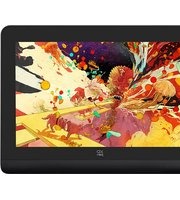
| Product Type | Graphics Drawing Tablet with Screen |
| Model | Artist 13.3 Pro V2 |
| Brand | XP-Pen |
| Screen Size | 13.3 inches |
| Screen Resolution | 1920 x 1080 (Full HD) |
| Color Gamut | 92% NTSC |
| Pressure Sensitivity | 8192 Levels |
| Pen Technology | Passive (battery-free) Electromagnetic Resonance |
| Tilt Support | ±60° |
| Report Rate | 200 PPS |
| Lamination | Full Laminated (reduces parallax) |
| Connectivity | USB-C (data + power) and HDMI |
| Dimensions (W x D x H) | 359 x 210 x 12 mm |
| Weight | 1.0 kg (approx.) |
| Stand Included | Yes, adjustable stand |
| Compatible OS | Windows 7/8/10/11, macOS 10.12 or later, selected Linux |
| Power Source | Via USB (5V/2A) |
| Express Keys | 6 customizable buttons |
| Pen Included | Yes, with replacement nibs |
| Touch Support | No (pen input only) |
Frequently Asked Questions - Artist 13.3 Pro V2 XP-Pen
Do I need to install drivers for the Artist 13.3 Pro V2?
Yes, you must install the correct driver from the XP-Pen website for your operating system. The tablet will not function fully without the driver.
Can I use this tablet with a smartphone?
The Artist 13.3 Pro V2 is designed for computers. It may work with some Android devices via USB-C OTG, but this is not officially supported.
How do I calibrate the pen?
Calibration is done in the XP-Pen driver software. Open the driver, select 'Pen Calibration', and follow the on-screen instructions to tap the crosshairs.
What is the difference between the Artist 13.3 Pro and Pro V2?
The Pro V2 features an improved laminated screen, higher color gamut (92% NTSC vs 90% NTSC), and a redesigned pen with better ergonomics.
The screen is not displaying anything. What should I do?
Ensure the USB-C and HDMI cables are securely connected. Check that your computer's display settings are set to extend or mirror. If using a USB-C only connection, make sure your computer supports video output over USB-C.
Can I replace the pen nibs?
Yes, the pen comes with extra nibs and a nib removal tool. You can also purchase additional nibs from XP-Pen or third-party sellers.
Does the tablet support tilt sensitivity?
Yes, the pen supports tilt up to ±60 degrees, allowing for natural shading and brush effects in compatible software.
How do I customize the express keys?
Open the XP-Pen driver software, go to the 'Express Key' section, and assign functions like undo, brush size, or keyboard shortcuts to each button.
Is the screen scratch-resistant?
The screen has a matte finish that provides some scratch resistance, but it is recommended to use a screen protector for extra protection.
What is the warranty period?
XP-Pen typically offers a 1-year warranty for the Artist 13.3 Pro V2. Check the included documentation or contact support for exact terms.
User questions about Artist 13.3 Pro V2 XP-Pen
0 question about this device. Answer the ones you know or ask your own.
Ask a new question about this device
No questions yet. Be the first to ask one.
Download the instructions for your Graphic tablet in PDF format for free! Find your manual Artist 13.3 Pro V2 - XP-Pen and take your electronic device back in hand. On this page are published all the documents necessary for the use of your device. Artist 13.3 Pro V2 by XP-Pen.
USER MANUAL Artist 13.3 Pro V2 XP-Pen
Manual assistant
Powered by Anthropic
Waiting for your message
Product information
Brand : XP-Pen
Model : Artist 13.3 Pro V2
Category : Graphic tablet