SlimTalkXL - Scale Cardinal Detecto - Free user manual and instructions
Find the device manual for free SlimTalkXL Cardinal Detecto in PDF.


Pick your language and provide your email: we'll send you a specifically translated version.
| Product Type | Talking Digital Scale |
| Brand | Cardinal Detecto |
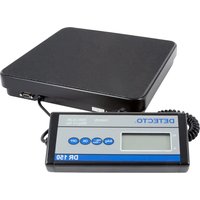
| Model | SlimTalkXL |
| Display | Extra-large LCD with talking feature |
| Measurement Units | Pounds (lb), kilograms (kg), stones (st) |
| Maximum Capacity | 400 lb / 180 kg |
| Accuracy | 0.1 lb / 50 g |
| Talking Feature | Announces weight in clear English voice |
| Auto-On | Step-on activation for quick weighing |
| Auto-Off | Saves battery life |
| Low Battery Indicator | Alerts when replacement is needed |
| Power Source | 2 x AAA batteries (included) |
| Dimensions | 12.5 x 12.5 x 2.5 inches (31.7 x 31.7 x 6.4 cm) |
| Weight | 3.5 lbs (1.59 kg) |
| Platform Surface | Anti-slip textured ABS plastic |
| Cleaning | Wipe with soft damp cloth; do not submerge |
| Safety Features | Overload protection and stable base |
| Accessibility | Designed for visually impaired users |
| Included Accessories | Scale, batteries, user manual |
| Warranty | 1-year manufacturer warranty |
Frequently Asked Questions - SlimTalkXL Cardinal Detecto
How does the talking feature work?
The scale announces your weight in a clear, audible voice after you step on. This makes it ideal for visually impaired users. You can switch between voice and silent mode.
What units of measurement are available?
The SlimTalkXL supports pounds (lb), kilograms (kg), and stones (st). Use the unit button to toggle between them.
What is the maximum weight capacity?
The maximum capacity is 400 pounds (180 kg). Overloading may cause the scale to display an error message.
How do I clean and maintain the scale?
Clean the platform with a soft damp cloth and mild detergent if needed. Never submerge the scale or use abrasive cleaners. Ensure the scale is dry after cleaning.
What type of batteries does it require?
It uses 2 AAA batteries, which are included with the scale. The battery compartment is on the underside.
How do I replace the batteries?
Locate the battery compartment on the bottom. Slide the cover open, remove the old batteries, and insert new AAA batteries respecting polarity. Close the cover securely.
Is the scale suitable for people with visual impairments?
Yes, the talking feature announces the weight audibly. The large display also provides a high-contrast readout for users with partial sight.
Can I use the scale on carpet or uneven surfaces?
For accurate readings, place the scale on a hard, flat surface. Using it on carpet may cause inaccurate measurements.
What is the accuracy of the scale?
The scale is accurate to 0.1 lb (50 g). Calibration is automatic on each startup.
Does the scale have an auto-off function?
Yes, the scale will automatically power off after 15 seconds of inactivity to save battery life.
User questions about SlimTalkXL Cardinal Detecto
0 question about this device. Answer the ones you know or ask your own.
Ask a new question about this device
No questions yet. Be the first to ask one.
Download the instructions for your Scale in PDF format for free! Find your manual SlimTalkXL - Cardinal Detecto and take your electronic device back in hand. On this page are published all the documents necessary for the use of your device. SlimTalkXL by Cardinal Detecto.
USER MANUAL SlimTalkXL Cardinal Detecto
Manual assistant
Powered by Anthropic
Waiting for your message
Product information
Brand : Cardinal Detecto
Model : SlimTalkXL
Category : Scale