APS20 - Scale Cardinal Detecto - Free user manual and instructions
Find the device manual for free APS20 Cardinal Detecto in PDF.


Pick your language and provide your email: we'll send you a specifically translated version.
| Brand | Cardinal Detecto |
| Model | APS20 |
| Type | Digital Bench Scale |
| Weighing Capacity | 20 lb (9.07 kg) |
| Readability | 0.01 lb / 0.005 kg |
| Platform Material | Stainless Steel |
| Display | Backlit LCD, 1-inch high digits |
| Units of Measurement | lb, oz, lb:oz, g, kg |
| Power Source | 6V AC adapter (included) or 4 AA batteries |
| Auto-Off Function | Yes, programmable |
| Tare Function | Yes, subtracts container weight |
| Zero Function | Manual zero at power on |
| Overload Protection | Yes, with visual/audio alarm |
| Operating Temperature | 14°F to 104°F (-10°C to 40°C) |
| Dimensions (W x D x H) | 12 x 12 x 4 inches (30.5 x 30.5 x 10.2 cm) |
| Net Weight | 5.5 lb (2.5 kg) |
| Battery Life | Approx. 200 hours with alkaline batteries |
| Warranty | 1 year limited |
| Cleaning Instructions | Wipe with damp cloth; mild detergent; avoid immersion |
Frequently Asked Questions - APS20 Cardinal Detecto
How do I calibrate the Cardinal Detecto APS20 scale?
To calibrate, press and hold the UNIT button while turning on the scale. Wait for the display to show a calibration weight value, then place the required calibration weight on the platform. The scale will automatically adjust.
What type of batteries does the APS20 use?
The scale can use four AA alkaline batteries or the included 6V DC adapter. Battery compartment is at the bottom.
How do I switch between weighing units?
Press the UNIT button repeatedly to toggle between lb, oz, lb:oz, g, and kg. The active unit is shown on the display.
What does the 'EEEE' error on the display mean?
The 'EEEE' error indicates an overload condition. Remove weight immediately to avoid damage. The scale's maximum capacity is 20 lb.
Can I use the scale on an uneven surface?
For accurate measurements, place the scale on a flat, stable surface and adjust the leveling feet (if equipped) before use.
How do I clean the scale?
Use a damp cloth with mild soap. Do not immerse in water or use abrasive cleaners. Dry thoroughly after cleaning.
The display is dim or not working. What should I do?
Check if batteries are installed correctly and have power. If using adapter, ensure it is securely connected. Replace batteries if necessary.
How do I use the tare function?
Place an empty container on the platform and press the TARE button. The display will zero out, allowing you to weigh only the contents.
Is the APS20 scale legal for trade?
The APS20 is not certified for legal-for-trade use. For commercial applications, check with local weights and measures authorities.
What is the warranty period and how to claim?
The scale comes with a 1-year limited warranty. Contact Cardinal Detecto customer service with proof of purchase for service or replacement.
User questions about APS20 Cardinal Detecto
0 question about this device. Answer the ones you know or ask your own.
Ask a new question about this device
No questions yet. Be the first to ask one.
Download the instructions for your Scale in PDF format for free! Find your manual APS20 - Cardinal Detecto and take your electronic device back in hand. On this page are published all the documents necessary for the use of your device. APS20 by Cardinal Detecto.
USER MANUAL APS20 Cardinal Detecto
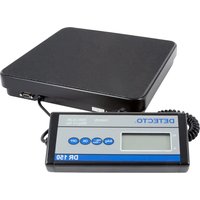
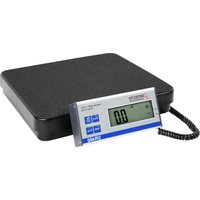
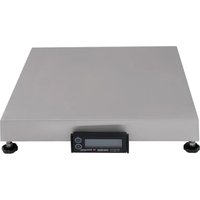
Manual assistant
Powered by Anthropic
Waiting for your message
Product information
Brand : Cardinal Detecto
Model : APS20
Category : Scale