Blade Stealth 12 - Laptop RAZER - Free user manual and instructions
Find the device manual for free Blade Stealth 12 RAZER in PDF.


Pick your language and provide your email: we'll send you a specifically translated version.
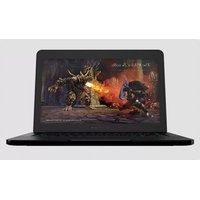
| Product Type | Laptop / Ultrabook |
| Brand | Razer |
| Model | Blade Stealth 12 |
| Display Size | 12.5 inches |
| Display Resolution | Quad HD (2560 x 1440) |
| Processor | Intel Core i7-6500U |
| Graphics | Integrated Intel HD Graphics 520 |
| Memory | 8GB LPDDR3 |
| Storage | 256GB PCIe SSD |
| Operating System | Windows 10 |
| Battery Capacity | 45 Wh |
| Power Adapter | 65 W USB-C AC adapter |
| Weight | 1.29 kg (2.84 lbs) |
| Dimensions (W x D x H) | 332.7 x 218.4 x 13.2 mm |
| Keyboard | Backlit chiclet keyboard |
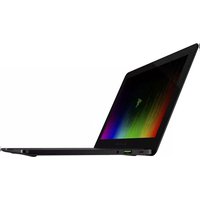
| Connectivity | Thunderbolt 3 (USB-C), USB 3.0, HDMI, 3.5mm combo jack |
| Wireless | Intel Wireless-AC 8260 (802.11ac, Bluetooth 4.1) |
| Audio | Stereo speakers, 3.5mm headphone jack |
| Webcam | HD webcam (720p) |
| Chassis Material | CNC aluminum with black matte finish |
| Security | TPM 2.0 (Trusted Platform Module) |
| Care and Cleaning | Wipe with a soft, dry lint-free cloth; avoid abrasive materials |
| Spare Parts and Repairability | Contact Razer authorized service centers; limited user-replaceable parts |
| Warranty | 1-year limited warranty |
Frequently Asked Questions - Blade Stealth 12 RAZER
How do I factory reset my Razer Blade Stealth 12?
The factory reset restores the laptop to its original state. From Windows, go to Settings > Update & Security > Recovery, then select Reset this PC. Choose either Keep my files or Remove everything, and follow the on-screen instructions.
Can I upgrade the RAM or SSD?
The Razer Blade Stealth 12 has soldered LPDDR3 memory and a PCIe SSD that is not user-replaceable. Upgrades are not recommended; contact Razer support for repair options.
How long does the battery last?
Under typical use, the 45 Wh battery provides about 7 hours of mixed productivity. Heavy gaming or video rendering will significantly reduce this. Enabling battery saver mode can extend runtime.
Does it support USB-C charging?
Yes, the included 65 W USB-C adapter can charge the laptop via the Thunderbolt 3 port. It also supports charging via other USB-C power adapters, but using the original charger is recommended for optimal performance.
How do I clean the screen safely?
Power off the laptop and unplug it. Use a soft, slightly damp (water) microfibre cloth to gently wipe the display in a circular motion. Do not spray liquid directly on the screen. Avoid ammonia or alcohol-based cleaners.
Is the keyboard backlit?
Yes, the Razer Blade Stealth 12 features a backlit chiclet keyboard with customizable RGB lighting. You can adjust brightness and colors through Razer Synapse software.
Does it support external GPUs via Thunderbolt 3?
Absolutely. The Thunderbolt 3 port supports external GPU enclosures like the Razer Core, giving you desktop-grade gaming performance when docked.
What should I do if the laptop overheats?
Ensure the vents are not blocked and the laptop is on a hard surface. Update to the latest BIOS and drivers. You can also create a custom fan profile in Razer Synapse. If overheating persists, contact Razer support.
How do I access BIOS?
Shut down the laptop, then power it on and press F2 repeatedly during startup to enter BIOS setup. From there you can adjust boot order, enable virtualization, and more.
Can I replace the battery myself?
The battery is integrated and not user-replaceable. Attempting to replace it yourself may void the warranty. Contact Razer authorized service centers for battery servicing.
User questions about Blade Stealth 12 RAZER
0 question about this device. Answer the ones you know or ask your own.
Ask a new question about this device
No questions yet. Be the first to ask one.
Download the instructions for your Laptop in PDF format for free! Find your manual Blade Stealth 12 - RAZER and take your electronic device back in hand. On this page are published all the documents necessary for the use of your device. Blade Stealth 12 by RAZER.
USER MANUAL Blade Stealth 12 RAZER


Manual assistant
Powered by Anthropic
Waiting for your message
Product information
Brand : RAZER
Model : Blade Stealth 12
Category : Laptop