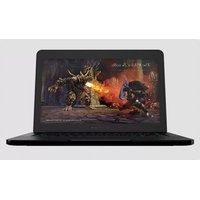
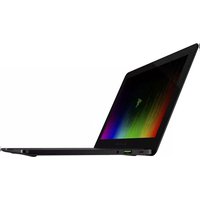
Blade RZ09-0116 - Laptop RAZER - Free user manual and instructions
Find the device manual for free Blade RZ09-0116 RAZER in PDF.


Pick your language and provide your email: we'll send you a specifically translated version.
| Product Type | Laptop |
| Brand | Razer |
| Model | Blade RZ09-0116 |
| Display Size | 15.6 inches |
| Display Resolution | 1920 x 1080 (Full HD) |
| Processor | Intel Core i7 (9th Gen) |
| Graphics | NVIDIA GeForce GTX 1660 Ti |
| Memory (RAM) | 16 GB DDR4 |
| Storage | 512 GB SSD |
| Operating System | Windows 10 Home |
| Dimensions (W x D x H) | 13.98 x 9.25 x 0.66 inches |
| Weight | 4.63 lbs (2.1 kg) |
| Power Supply | 230W AC adapter |
| Battery Life | Up to 6 hours |
| Keyboard | Per-key RGB backlit |
| Ports | USB-A, USB-C, HDMI, Thunderbolt 3 |
| Wireless Connectivity | Wi-Fi 6, Bluetooth 5.0 |
| Camera | 720p webcam |
| Cooling System | Vapor chamber cooling |
| Maintenance and Cleaning | Use dry cloth; avoid liquids |
| Safety | Avoid overheating; use on hard surface |
| Spare Parts and Repairability | SSD and RAM upgradeable; battery replaceable |
| General Information | Premium gaming laptop with aluminum chassis |
Frequently Asked Questions - Blade RZ09-0116 RAZER
How do I clean my Razer Blade RZ09-0116?
Use a soft, dry microfiber cloth to wipe the display and chassis. For stubborn stains, slightly dampen the cloth with water. Avoid using alcohol or abrasive cleaners.
Can I upgrade the RAM on this laptop?
Yes, the Razer Blade RZ09-0116 has two SODIMM slots supporting up to 64 GB DDR4 RAM. Ensure you use compatible modules.
How do I extend battery life during gaming?
Lower the screen brightness, close background apps, and use Razer Synapse to set a balanced power profile. Also, reduce graphics settings in games.
Why is my laptop overheating?
Ensure the cooling vents are not blocked. Use a hard, flat surface. Update drivers via NVIDIA GeForce Experience and Intel Driver & Support Assistant.
How to perform a factory reset on Razer Blade RZ09-0116?
Go to Settings > Update & Security > Recovery. Under 'Reset this PC', click 'Get started' and follow the on-screen instructions. Back up your data first.
Does the laptop support external monitors?
Yes, it has one HDMI 2.0 output and Thunderbolt 3 supporting DisplayPort, so you can connect up to 3 external displays.
How to update keyboard lighting?
Install Razer Synapse software. Go to the 'Chroma Studio' tab to customize per-key RGB lighting effects and synchronize with other Razer devices.
What is the maximum supported storage?
You can install up to two M.2 NVMe SSDs (PCIe Gen3 x4) with capacities up to 2TB each, total 4TB.
How to enable RAID 0?
Enter BIOS by pressing F2 on startup, go to 'Advanced' > 'RAID Configuration', and set SATA Mode to RAID. Then use Intel Rapid Storage Technology to create a RAID 0 array.
Why is the fan loud?
Fan noise is normal under heavy load. You can adjust fan speed via Razer Synapse under 'Performance' or enable quiet mode for less noise.
User questions about Blade RZ09-0116 RAZER
0 question about this device. Answer the ones you know or ask your own.
Ask a new question about this device
No questions yet. Be the first to ask one.
Download the instructions for your Laptop in PDF format for free! Find your manual Blade RZ09-0116 - RAZER and take your electronic device back in hand. On this page are published all the documents necessary for the use of your device. Blade RZ09-0116 by RAZER.
USER MANUAL Blade RZ09-0116 RAZER

Manual assistant
Powered by Anthropic
Waiting for your message
Product information
Brand : RAZER
Model : Blade RZ09-0116
Category : Laptop