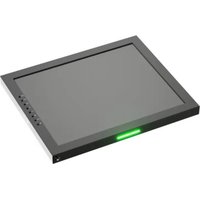
Saga SX7 - Monitor Ikan - Free user manual and instructions
Find the device manual for free Saga SX7 Ikan in PDF.


Pick your language and provide your email: we'll send you a specifically translated version.
| Product Type | 7-inch professional LCD monitor |
| Brand | Ikan |
| Model | Saga SX7 |
| Screen Size | 7 inches |
| Resolution | 1920 x 1200 pixels |
| Aspect Ratio | 16:10 panel with 4:3/16:9 mode support |
| Video Inputs | 1x 3G-SDI, 1x HDMI |
| Video Outputs | 1x 3G-SDI, 1x HDMI loop out |
| Power Input | DC 12V via secure locking connector |
| Battery Plate | Sony L-series mount with charging capability |
| Dimensions (W x H x D) | 7.5 x 5.5 x 1.5 inches (190 x 140 x 38 mm) |
| Weight | 1.1 lbs (500 g) without battery |
| Mounting Points | Standard 1/4"-20 threaded holes on bottom and sides |
| Display Features | Focus peaking, zebra, false color, histogram, and image flip |
| Recording | Not applicable (monitor only) |
| Menu Languages | English, Spanish, French, Chinese |
| Operating Temperature | 32 to 104°F (0 to 40°C) |
| Included Accessories | Monitor, DC adapter, AC power cord, HDMI cable, battery plate |
| Cleaning Instructions | Wipe gently with a soft, dry microfiber cloth only |
| Safety Notes | Keep away from moisture, direct sunlight, and strong magnetic fields |
Frequently Asked Questions - Saga SX7 Ikan
How do I power the Ikan Saga SX7?
You can power the monitor using the included DC 12V adapter or by attaching a Sony L-series battery to the battery plate. Always check the battery charge before outdoor shoots.
What video inputs does the Saga SX7 support?
The monitor supports both 3G-SDI and HDMI inputs, allowing connection to professional cameras, recorders, and other video devices.
Can the Saga SX7 display 4K signals?
Yes, the monitor can accept 4K HDMI signals and downscale them for display on its 1920x1200 panel, so you can monitor high-resolution footage accurately.
How do I mount the Saga SX7 to my camera or rig?
The monitor has standard 1/4"-20 threaded holes on the bottom and sides. You can use a cold shoe mount, articulated arm, or a ball head to secure it.
What is the battery life with a Sony L-series battery?
Battery life varies with the battery capacity. A typical 7.2V 2200mAh battery provides about 90 minutes of operation. Higher capacity batteries last longer.
How do I adjust focus peaking strength?
Access the picture menu, select Focus Assist, and adjust the peaking level to low, medium, or high. Red highlights will outline in-focus areas.
Can I use the HDMI and SDI inputs simultaneously?
No, the monitor automatically chooses one input at a time. You can switch between inputs using the Input button on the side panel.
Does the monitor have built-in speakers?
Yes, the Saga SX7 includes a small built-in speaker for audio monitoring, along with a 3.5mm headphone jack for private listening.
How do I update the monitor's firmware?
Connect the monitor to your computer via USB, download the latest firmware from the Ikan website, and follow the update utility instructions. Do not unplug during the update.
What should I do if there are dead pixels on the screen?
A few dead pixels are common on LCD panels. If they exceed three, contact Ikan support for a possible replacement under warranty.
User questions about Saga SX7 Ikan
0 question about this device. Answer the ones you know or ask your own.
Ask a new question about this device
No questions yet. Be the first to ask one.
Download the instructions for your Monitor in PDF format for free! Find your manual Saga SX7 - Ikan and take your electronic device back in hand. On this page are published all the documents necessary for the use of your device. Saga SX7 by Ikan.
USER MANUAL Saga SX7 Ikan
Manual assistant
Powered by Anthropic
Waiting for your message
Product information
Brand : Ikan
Model : Saga SX7
Category : Monitor