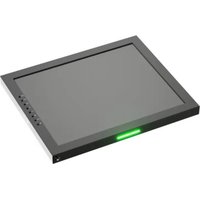
FM-055F - Monitor Ikan - Free user manual and instructions
Find the device manual for free FM-055F Ikan in PDF.


Pick your language and provide your email: we'll send you a specifically translated version.
| Product Type | Field Monitor |
| Brand | Ikan |
| Model | FM-055F |
| Category | 5.5-inch Professional Monitor |
| Screen Size | 5.5 inches |
| Display Type | IPS LCD with LED backlight |
| Resolution | 1920 x 1080 (Full HD) |
| Aspect Ratio | 16:9 |
| Brightness | 300 cd/m² |
| Video Inputs | 1x HDMI Type A |
| Video Outputs | 1x HDMI Type A |
| Power Supply | NP-F series battery (7.4V) or DC 6-24V input |
| Power Consumption | Approx. 5W |
| Mounting | 1/4-20 thread and cold shoe mount |
| Dimensions | 140 x 86 x 30 mm |
| Weight | 0.35 kg (0.77 lbs) |
| Key Features | Focus assist, peaking, false color, histogram, and vectorscope |
| Maintenance | Clean with a soft dry cloth; avoid harsh solvents |
| Safety | Use only recommended power adapters and keep away from moisture |
| Spare Parts & Repairability | Common parts such as batteries and cables are user-replaceable |
Frequently Asked Questions - FM-055F Ikan
What power source options are available for the Ikan FM-055F?
The FM-055F can be powered using a 7.4V NP-F series battery or an external DC input from 6 to 24 volts. This flexibility allows you to work both in the studio and in the field.
Does the FM-055F support 4K video signals?
No, the FM-055F is a Full HD monitor that supports signals up to 1080p at 60Hz. For 4K sources, it will downscale the image to 1080p.
How do I connect the monitor to my camera?
Simply connect one end of an HDMI cable to your camera's HDMI output and the other end to the HDMI input on the FM-055F. The monitor will automatically detect the signal and start displaying.
How can I use the focus assist feature?
Access the focus assist tools via the menu. The monitor provides peaking (red/blue/yellow) and magnified zoom to ensure precise manual focusing.
Can I use the FM-055F as a field monitor for live streaming?
Yes, it can be used as a live monitor for your camera output. However, it does not have built-in streaming or recording capabilities; you need an external encoder.
Are there any audio features on this monitor?
The FM-055F includes a 3.5mm headphone jack to monitor audio, but it does not have built-in speakers. You can listen to the audio while recording.
What camera mounts are compatible with the FM-055F?
The monitor features a 1/4-20 thread and a cold shoe mount, making it compatible with most camera cages, tripods, and camera-mounted arms.
Does the monitor have LUT support?
Yes, the FM-055F supports 3D LUT loading through an SD card slot, allowing you to apply custom color profiles for previewing on set.
How do I update the firmware on the FM-055F?
Download the latest firmware from the official Ikan website, copy the file to a microSD card, insert it into the monitor, and follow the update instructions in the menu. Make sure to use a fully charged battery to avoid interruption.
What is the warranty and repair process for this monitor?
The Ikan FM-055F comes with a one-year limited warranty against manufacturing defects. For repairs, contact Ikan support or an authorized service center; common parts are readily available.
User questions about FM-055F Ikan
0 question about this device. Answer the ones you know or ask your own.
Ask a new question about this device
No questions yet. Be the first to ask one.
Download the instructions for your Monitor in PDF format for free! Find your manual FM-055F - Ikan and take your electronic device back in hand. On this page are published all the documents necessary for the use of your device. FM-055F by Ikan.
USER MANUAL FM-055F Ikan
Manual assistant
Powered by Anthropic
Waiting for your message
Product information
Brand : Ikan
Model : FM-055F
Category : Monitor