Saga S7P - Monitor Ikan - Free user manual and instructions
Find the device manual for free Saga S7P Ikan in PDF.


Pick your language and provide your email: we'll send you a specifically translated version.
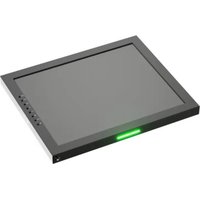
| Product Type | On-Camera Field Monitor |
| Brand | Ikan |
| Model | Saga S7P |
| Screen Size | 7 inches |
| Display Technology | IPS LCD |
| Resolution | 1920 × 1200 pixels |
| Aspect Ratio | 16:10 |
| Brightness | 2000 cd/m² |
| Video Inputs | HDMI, 3G-SDI |
| Video Outputs | HDMI, 3G-SDI |
| Power Supply | DC 7-24V via battery plate or included AC adapter |
| Power Consumption | 12W |
| Dimensions (W × H × D) | 190 × 120 × 40 mm |
| Weight | 350 g |
| Mounting | 1/4-20 threaded holes on bottom and top |
| Video Assist Features | Peaking, Focus Assist, False Color, Zebra, Histogram, Waveform |
| Maintenance and Cleaning | Wipe the screen with a soft dry microfiber cloth. Avoid aggressive solvents. |
| Safety | Use only certified power adapters and avoid prolonged exposure to direct sunlight. |
| Spare Parts and Repairability | Contact Ikan support for replacement parts. No user-serviceable parts inside. |
| General Information | This monitor is designed for professional video production and on-camera monitoring. |
Frequently Asked Questions - Saga S7P Ikan
How do I power the Ikan Saga S7P monitor?
You can power it using a standard 7.4V L-series battery through the built-in battery plate, or via a DC 7-24V input using the included AC adapter. Always ensure the power source matches the voltage range.
What cables are included in the box?
The box typically includes a HDMI cable, a 3G-SDI cable, a AC power adapter, and a mounting plate. However, always refer to the packing list to confirm.
Can the Saga S7P accept 4K HDMI signals?
The monitor supports 4K HDMI input at up to 30fps, but it will down-convert the signal for display at its native 1920×1200 resolution. For full-resolution monitoring, 3G-SDI accepts 1080p60 signals.
How do I calibrate the colors on this monitor?
The monitor offers built-in calibration presets and adjustable color temperature. For advanced calibration, you can use an external probe via the three-dimensional color LUT supported through the USB port.
Does the monitor have an internal battery or built-in memory?
No, the monitor relies on an external L-series battery or DC power. It does not have internal memory; it is a monitoring device, not a recorder.
Can I mount this monitor on a camera that has a cold shoe?
Yes, you can use the included mounting plate or a compatible cold shoe adapter. The monitor has standard 1/4-20 threaded holes on the bottom and top.
How do I use focus peaking on the Saga S7P?
Press the Peaking button to toggle focus peaking. The monitor will highlight the in-focus areas in red, green, or blue you can select in the menu. Adjust the peaking level to fine-tune sensitivity.
What does the waveform and vectorscope functions do?
These functions display exposure and color information of the video signal. The waveform monitors luma levels, and the vectorscope displays chroma, helping you achieve correct exposure and white balance.
Is the Saga S7P firmware upgradeable?
Yes, firmware updates are provided by Ikan through their website. You can update via the USB port using a USB stick. Check the support page for the latest version.
How do I clean the screen without damaging it?
Use a soft microfiber cloth slightly dampened with water. Avoid using alcohol-based cleaners or paper towels, as they can scratch the coating.
User questions about Saga S7P Ikan
0 question about this device. Answer the ones you know or ask your own.
Ask a new question about this device
No questions yet. Be the first to ask one.
Download the instructions for your Monitor in PDF format for free! Find your manual Saga S7P - Ikan and take your electronic device back in hand. On this page are published all the documents necessary for the use of your device. Saga S7P by Ikan.
USER MANUAL Saga S7P Ikan


Manual assistant
Powered by Anthropic
Waiting for your message
Product information
Brand : Ikan
Model : Saga S7P
Category : Monitor