PALCO39 - Television TELE System - Free user manual and instructions
Find the device manual for free PALCO39 TELE System in PDF.


Pick your language and provide your email: we'll send you a specifically translated version.
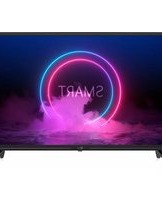
| Product Type | Television |
| Brand | TELE System |
| Model | PALCO39 |
| Screen Size | 39 inches (99 cm) |
| Display Technology | LED-backlit LCD |
| Resolution | Full HD 1920 x 1080 pixels |
| Refresh Rate | 60 Hz |
| Aspect Ratio | 16:9 |
| Built-in Tuner | DVB-T2, DVB-C |
| HDMI Ports | 3 x HDMI |
| USB Ports | 2 x USB 2.0 |
| Other Connections | VGA, component, composite, antenna, audio out |
| Audio Output Power | 2 x 8 W |
| Power Consumption (Typical) | 65 W |
| Standby Power | Less than 0.5 W |
| Dimensions (Without Stand) | 88.1 x 51.2 x 7.6 cm (W x H x D) |
| Dimensions (With Stand) | 88.1 x 55.5 x 20.0 cm (W x H x D) |
| Weight (Without Stand) | 6.2 kg |
| Weight (With Stand) | 6.5 kg |
| VESA Mounting | 200 x 200 mm |
| Remote Control | Included |
| Energy Efficiency Class | F |
Frequently Asked Questions - PALCO39 TELE System
How do I connect external speakers to my TELE System PALCO39 TV?
You can connect external speakers using the audio out port (3.5mm jack or RCA). Use the appropriate cable, then go to the audio settings and select external speakers.
How do I scan for TV channels?
Press the Menu button on the remote, navigate to Channel Setup or Tuning, then select Auto Scan. The TV will automatically search for available digital terrestrial and cable channels.
Can I wall-mount my PALCO39 TV?
Yes, the TV is VESA compatible. Use a VESA 200x200 mm wall bracket. Make sure the wall can support the weight of the TV (approx. 6.5 kg) and follow the mounting instructions carefully.
How do I update the firmware on my TV?
Visit the TELE System support website and download the latest firmware for the PALCO39 model. Save it to a USB flash drive, insert it into the TV, and go to Setup > Software Update. Follow the on-screen instructions.
What is the optimal viewing distance for a 39-inch TV?
For a Full HD TV, the recommended viewing distance is about 1.5 to 2.5 meters (5 to 8 feet). This ensures the best balance between immersion and comfort.
How do I access the settings menu?
Press the Menu button on the remote control to open the On-Screen Display (OSD). Use the arrow keys to navigate, and the OK button to select and adjust settings.
Can I play media files via USB?
Yes, connect a USB drive to the USB port. The TV supports common video, audio, and image formats such as MP4, AVI, MP3, and JPEG. Press the Media button on the remote to browse files.
Why is my TV picture not sharp?
First, check your source resolution. To get the best picture, ensure the input signal is at least 720p. Adjust the Picture Mode to Natural or Cinema in the settings. Also, connect using an HDMI cable for the best quality.
How do I clean the TV screen safely?
Use a soft, dry microfiber cloth to gently wipe the screen. If needed, slightly dampen the cloth with water or a screen-cleaning solution. Never spray liquid directly on the panel, and avoid using abrasive materials.
What should I do if the remote control does not respond?
Check the batteries first. Ensure the batteries are correctly inserted and have enough power. Also, verify there are no obstacles between the remote and the TV's IR sensor. If it still doesn't work, try resetting the TV by unplugging it for a few minutes.
User questions about PALCO39 TELE System
0 question about this device. Answer the ones you know or ask your own.
Ask a new question about this device
No questions yet. Be the first to ask one.
Download the instructions for your Television in PDF format for free! Find your manual PALCO39 - TELE System and take your electronic device back in hand. On this page are published all the documents necessary for the use of your device. PALCO39 by TELE System.
USER MANUAL PALCO39 TELE System


Manual assistant
Powered by Anthropic
Waiting for your message
Product information
Brand : TELE System
Model : PALCO39
Category : Television