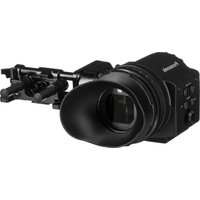
PalmCam PV-SD5000 - Camera PANASONIC - Free user manual and instructions
Find the device manual for free PalmCam PV-SD5000 PANASONIC in PDF.


Pick your language and provide your email: we'll send you a specifically translated version.
| Brand | Panasonic |
| Model | PalmCam PV-SD5000 |
| Product type | Digital PalmCam video camera |
| Category | Camera |
| Recording media | SD Memory Card |
| Sensor | 1/4-inch CCD |
| Effective pixels | Approx. 1.2 megapixels |
| Lens | Panasonic precision lens with 10x optical zoom |
| Digital zoom | Up to 100x digital zoom |
| LCD monitor | 2.5-inch color LCD |
| Focus | Auto focus with macro capability |
| Exposure control | Auto exposure with manual adjustment |
| White balance | Auto / indoor / outdoor presets |
| Still image capture | JPEG format on SD card |
| Video output | Composite video / S-Video |
| Power supply | Rechargeable lithium-ion battery pack |
| Dimensions (approx.) | 2.7 x 3.7 x 6.1 in (68 x 93 x 155 mm) |
| Weight (approx.) | 1.2 lb (560 g) with battery and media |
| Cleaning and care | Wipe the body with a dry soft cloth; use a blower brush for the lens |
| Safety | Keep away from water, heat sources and direct sunlight |
| Repairability | Have repairs performed by a qualified technician using genuine Panasonic parts |
Frequently Asked Questions - PalmCam PV-SD5000 PANASONIC
How do I transfer recorded clips to a computer?
Remove the SD card and insert it into a card reader connected to the computer. Alternatively, connect the camcorder directly with the USB cable and set it to PC mode.
What type of memory card does the PV-SD5000 use?
This camcorder records on SD Memory Cards. Use a genuine card within the supported capacity range described in the manual.
How can I get longer battery life?
Start with a fully charged lithium-ion battery, lower the LCD brightness, limit zoom usage, and power off during breaks.
How do I clean the camera lens?
Remove dust with a blower brush and then gently wipe the lens with a clean microfiber cloth. Do not use solvents or compressed air.
Why is the LCD screen showing a black image?
Make sure the lens cap is removed and the camcorder is not in power save mode. If it persists, turn off the power, remove the battery for one minute, then restart.
Can I connect the PalmCam to a television?
Yes, use the supplied AV cable to connect the composite output to the TV, then switch the camcorder to playback mode.
Does the PV-SD5000 take still photographs?
Yes. Select the still picture mode and press the shutter button; images are saved as JPEG files on the SD card.
What should I do if the camera gets wet?
Turn it off and remove the battery immediately. Let the camera air-dry completely for at least 24 hours before trying to use it again.
Can I replace the battery myself?
Yes, open the battery compartment cover, unplug the old pack, and insert a genuine Panasonic replacement battery in the correct orientation.
How do I reset the camcorder to factory settings?
Open the setup menu, choose initialize/reset, and confirm. If the menu is not accessible, remove the battery for a few minutes to force a reset.
User questions about PalmCam PV-SD5000 PANASONIC
0 question about this device. Answer the ones you know or ask your own.
Ask a new question about this device
No questions yet. Be the first to ask one.
Download the instructions for your Camera in PDF format for free! Find your manual PalmCam PV-SD5000 - PANASONIC and take your electronic device back in hand. On this page are published all the documents necessary for the use of your device. PalmCam PV-SD5000 by PANASONIC.
USER MANUAL PalmCam PV-SD5000 PANASONIC

Manual assistant
Powered by Anthropic
Waiting for your message
Product information
Brand : PANASONIC
Model : PalmCam PV-SD5000
Category : Camera