UMCWBD-L - Microphone Lectrosonics - Free user manual and instructions
Find the device manual for free UMCWBD-L Lectrosonics in PDF.


Pick your language and provide your email: we'll send you a specifically translated version.
| Brand | Lectrosonics |
| Model | UMCWBD-L |
| Product Category | Wireless Microphone |
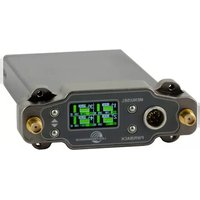
| Product Type | Bodypack Transmitter |
| Technology | Digital Hybrid Wireless |
| Frequency Range | UHF TV Band (specific block varies) |
| RF Power Output | 50 mW (1/10/50 mW selectable) |
| Audio Input Connector | TA5 (5-Pin Mini Lock) |
| Input Compatibility | Lavaliere and headset microphones |
| Audio Level Gain | Adjustable gain control (approx. 40 dB range) |
| Controls | Power, mute, gain, frequency selection via LCD interface |
| Display | Backlit LCD |
| Battery Type | 2 AA Alkaline or NiMH rechargeable |
| Battery Life | Up to 8 hours (varies with settings) |
| Dimensions | 3.5 x 2.5 x 1.0 in (88.9 x 63.5 x 25.4 mm) |
| Weight | 4.8 oz (136 g) with batteries |
| Housing | Machined aluminum, rugged construction |
| Environmental | Designed for professional field use |
| Maintenance and Cleaning | Clean with a soft dry cloth; keep connectors dry |
| Safety | Follow RF exposure guidelines; keep away from water |
| Spare Parts and Repairability | Batteries and belt clip are user replaceable; internal components serviceable by qualified technicians |
| General Information | Compatible with Lectrosonics UCRW receivers; professional-grade for broadcast and film production |
Frequently Asked Questions - UMCWBD-L Lectrosonics
How do I set up the UMCWBD-L transmitter?
Insert two AA batteries, connect a microphone to the TA5 connector, then power on. Use the LCD interface to set a frequency that matches your receiver, and adjust the audio gain accordingly.
What type of batteries does the UMCWBD-L use?
It uses 2 AA batteries, either alkaline or rechargeable NiMH. Ensure they are fully charged for optimal battery life.
How long does the battery last?
With fresh alkaline batteries, you can expect up to 8 hours of continuous use, depending on RF power output and microphone settings.
Can I use the UMCWBD-L with a lavalier microphone?
Yes, the TA5 input connector is compatible with most professional lavaliere and headset microphones. Check the pinout to ensure correct wiring.
How do I change the frequency on the UMCWBD-L?
Press the menu button to enter the frequency setting, then use the arrow keys to select a new frequency. Confirm your selection and ensure the receiver is tuned to the same channel.
What is the operating range of the UMCWBD-L?
The range depends on environment and RF power setting. At 50 mW, typical line-of-sight range is about 100 meters, but obstacles can reduce this.
How do I clean and maintain the transmitter?
Wipe the exterior with a soft dry cloth. Avoid using liquids or sprays. Keep the connectors dry and free of dirt to ensure reliable audio signals.
Is the UMCWBD-L compatible with other Lectrosonics receivers?
It is designed to work with Lectrosonics UCRW series receivers. Ensure both devices are set to the same frequency and using compatible audio modes.
What should I do if there is audio interference?
Change to a different frequency away from TV stations or other RF sources. Use the frequency scan feature on your receiver to find a clear channel.
How can I extend the battery life?
Reduce the RF power output to 1 mW if you are in a short-range application, and avoid leaving the transmitter powered on when not in use.
User questions about UMCWBD-L Lectrosonics
0 question about this device. Answer the ones you know or ask your own.
Ask a new question about this device
No questions yet. Be the first to ask one.
Download the instructions for your Microphone in PDF format for free! Find your manual UMCWBD-L - Lectrosonics and take your electronic device back in hand. On this page are published all the documents necessary for the use of your device. UMCWBD-L by Lectrosonics.
USER MANUAL UMCWBD-L Lectrosonics
Manual assistant
Powered by Anthropic
Waiting for your message
Product information
Brand : Lectrosonics
Model : UMCWBD-L
Category : Microphone