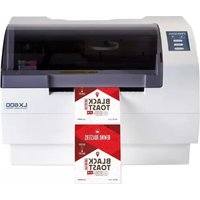
AP-Code - Label printer PRIMERA - Free user manual and instructions
Find the device manual for free AP-Code PRIMERA in PDF.


Pick your language and provide your email: we'll send you a specifically translated version.
| Product Type | Label Printer |
| Brand | Primera |
| Model | AP-Code |
| Category | Barcode Label Printer |
| Printing Technology | Thermal Transfer and Direct Thermal |
| Print Resolution | 300 dpi |
| Print Speed | Up to 4 inches per second |
| Supported Media | Labels, tags, barcode labels, continuous roll |
| Connectivity | USB 2.0, Ethernet, optional serial |
| Display | Graphical LCD with keypad |
| Dimensions (W × H × D) | 250 mm × 200 mm × 300 mm |
| Weight | 3.5 kg |
| Power Supply | 100–240 V AC, 50/60 Hz |
| Power Consumption | 100 W max |
| Operating Temperature | 5 °C to 40 °C |
| Operating Humidity | 20% to 80% RH non-condensing |
| Key Features | High-speed barcode printing, durable metal frame, easy media loading |
| Maintenance | Regularly clean printhead and platen roller with isopropyl alcohol |
| Safety Certifications | CE, FCC compliant |
| Repairability | Replaceable printhead, roller and cutter; user-serviceable components |
| General Information | Comes with 42-page user manual in PDF |
Frequently Asked Questions - AP-Code PRIMERA
How do I load labels into the Primera AP-Code?
Open the top cover, remove the empty core, and place the label roll on the holder. Feed the label through the guide and adjust the sensors until the printer detects the gap. Close the cover and press the feed button.
What type of labels can I use with this printer?
The AP-Code supports direct thermal and thermal transfer labels. Use rolls with a width between 10 mm and 100 mm, and a core diameter of 25 mm or 40 mm. Ensure the labels have a clear gap or black mark for sensor detection.
How do I clean the printhead?
Turn off the printer and open the top cover. Clean the printhead with a lint-free swab soaked in isopropyl alcohol. Also clean the platen roller to avoid print quality issues. Let it dry before closing the cover.
How do I connect the AP-Code to my computer?
Use a USB cable to connect the printer to your PC. Install the printer driver from the included CD or the Primera website. For network connections, use the Ethernet port and configure the IP address via the front panel.
The printer is not printing correctly. What should I do?
First, check that the ribbon (if using thermal transfer) is installed properly. Then verify the label sensor is aligned with the gap. Use the self-test page to diagnose print quality. If the issue persists, clean the printhead and rollers.
Does the printer support barcode printing?
Yes, the AP-Code has a built-in barcode generator for common symbologies such as Code 39, Code 128, EAN, UPC and QR codes. Use the label software to create and print barcodes with high resolution.
What are the power requirements for the AP-Code?
The printer operates on 100–240 V AC, 50/60 Hz. It consumes a maximum of 100 W. Use the supplied power cord and avoid power surges.
How do I update the firmware?
Download the latest firmware from the Primera support page. Transfer the firmware file to an SD card or use the USB port. Follow the on-screen instructions in the AP-Code menu. Do not turn off the power during the update.
Can I use continuous label roll without gaps?
Yes, switch the sensor setting to 'Continuous' mode via the printer's software or panel. When using continuous media, the print length is determined by the label size setting in the driver.
What is the warranty on the Primera AP-Code?
Primera offers a one-year limited warranty covering manufacturing defects. Keep your proof of purchase. Extended warranties are available from authorized dealers.
User questions about AP-Code PRIMERA
0 question about this device. Answer the ones you know or ask your own.
Ask a new question about this device
No questions yet. Be the first to ask one.
Download the instructions for your Label printer in PDF format for free! Find your manual AP-Code - PRIMERA and take your electronic device back in hand. On this page are published all the documents necessary for the use of your device. AP-Code by PRIMERA.
USER MANUAL AP-Code PRIMERA
Manual assistant
Powered by Anthropic
Waiting for your message
Product information
Brand : PRIMERA
Model : AP-Code
Category : Label printer