BX30C - Video projector LG - Free user manual and instructions
Find the device manual for free BX30C LG in PDF.


Pick your language and provide your email: we'll send you a specifically translated version.
| Product Type | Video Projector |
| Brand | LG |
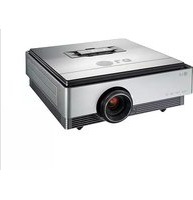
| Model | BX30C |
| Display Technology | DLP (Digital Light Processing) |
| Native Resolution | XGA (1024 x 768) |
| Brightness | 3200 ANSI Lumens |
| Contrast Ratio | 20,000:1 |
| Lamp Type | UHP (Ultra High Performance) |
| Lamp Life | Up to 10,000 hours (Smart Energy Saving mode) |
| Screen Size Range | 30 to 300 inches |
| Aspect Ratio | 4:3 native, 16:9 compatible |
| Keystone Correction | Automatic vertical (+/- 40°) |
| Input Ports | HDMI, RGB (D-Sub 15 pin), Composite, RS-232C |
| Dimensions (W x H x D) | 315 x 113 x 223 mm |
| Weight | 3.1 kg |
| Power Consumption | 280 W (max), <0.5 W standby |
| Power Supply | 100-240V AC, 50/60 Hz |
| Noise Level | 32 dB (Eco mode) |
| Maintenance | Clean air filter every 500 hours; replace lamp when warning light appears |
| Safety Features | Kensington slot, anti-theft security |
| Repairability | User-accessible lamp compartment and filter cover |
| Operating Temperature | 0°C to 40°C |
| General Information | Multi-language OSD, wall mount compatible |
Frequently Asked Questions - BX30C LG
How do I replace the lamp in the LG BX30C?
To replace the lamp, turn off the projector and unplug it. Wait at least 30 minutes for the lamp to cool. Open the lamp cover, remove the securing screw, and pull out the old lamp module. Insert a new LG-certified lamp (same type) and secure it. Finally, reset the lamp timer in the OSD menu under 'Reset Lamp Timer'.
Can I connect a laptop to the projector?
Yes, you can connect a laptop using an HDMI cable or a VGA (RGB) cable. Plug one end into your laptop and the other into the corresponding input port on the projector. Then press the Source button on the remote or keypad to select the correct input.
What is the recommended projection distance for a 100-inch screen?
For a 100-inch diagonal image, the throw distance is approximately 2.9 to 3.2 meters, depending on the zoom setting. Use the projector's zoom ring to fine-tune the image size within this range.
How do I clean the air filter?
Turn off the projector and unplug it. Locate the air filter cover on the side or bottom. Remove the filter and vacuum it gently, or rinse with water and let it dry completely before reinstalling. Clean the filter every 500 hours of use to prevent overheating.
Why does the projector turn off automatically?
The projector may have an auto-off feature activated when no signal is received for a set time. It can also shut down due to overheating. Check that the air filter is clean and that vents are not blocked. If the problem persists, consult the technical support.
Can the projector display 16:9 content?
Yes, the projector accepts 16:9 signals from HDMI and VGA sources. You can select the Aspect Ratio in the OSD menu to '16:9' or 'Wide' to display the content with black bars at top/bottom (letterbox) or stretched depending on your preference.
How do I adjust image sharpness?
Use the Focus ring on the lens to adjust the sharpness. For keystone distortion, use the Keystone Correction setting in the OSD or the dedicated arrow keys. Also ensure the source resolution matches the native XGA (1024x768) for the clearest picture.
Is the projector suitable for outdoor use?
The LG BX30C is designed for indoor use only. Exposing it to rain, extreme humidity, or direct sunlight can damage the components. For outdoor night events, place it under a protected area with proper ventilation and power protection.
How do I update the firmware?
Firmware updates are typically done via the RS-232C port or a USB connection, depending on the model. Visit the official LG support website, download the latest firmware, and follow the instructions in the user manual. Always use a stable power source during update.
What should I do if the image is upside down?
If the image is upside down or reversed, use the Projection Mode setting in the OSD menu. Select from Front, Rear, Ceiling Front, or Ceiling Rear depending on your setup. This flips the image accordingly.
User questions about BX30C LG
0 question about this device. Answer the ones you know or ask your own.
Ask a new question about this device
No questions yet. Be the first to ask one.
Download the instructions for your Video projector in PDF format for free! Find your manual BX30C - LG and take your electronic device back in hand. On this page are published all the documents necessary for the use of your device. BX30C by LG.
USER MANUAL BX30C LG
Manual assistant
Powered by Anthropic
Waiting for your message
Product information
Brand : LG
Model : BX30C
Category : Video projector