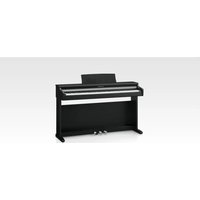
CS6 - Piano KAWAI - Free user manual and instructions
Find the device manual for free CS6 KAWAI in PDF.


Pick your language and provide your email: we'll send you a specifically translated version.
| Product Type | Digital Piano |
| Brand | Kawai |
| Model | CS6 |
| Keyboard | 88 wooden keys with Ivory Touch key surfaces and hammer action |
| Hammer Action | Advanced Hammer Action IV-F with let-off simulation |
| Sound Source | Progressive Harmonic Imaging (PHI) with 88-key stereo sampling |
| Maximum Polyphony | 192 notes |
| Number of Tones | 36 internal tones |
| Reverb | Yes, with adjustable room and hall simulations |
| Built-in Songs | 40 classical and practice songs |
| Recorder | 3-track recorder with 10-song capacity |
| Metronome | Yes, with adjustable tempo and time signature |
| Touch Sensitivity | 6 levels of key touch adjustment |
| Transpose | Yes, adjustable in semitones |
| Tuning | Adjustable pitch and stretch tuning |
| Speakers | 4 speakers (2 x 8cm full-range, 2 x 12cm bass reflex) |
| Amplifier Output | 45W total (estimated) |
| Headphone Output | 2 headphone jacks (stereo) |
| Pedals | Damper, soft, and sostenuto with half-pedal support |
| Connectivity | MIDI In/Out, USB to Host, Line In/Out |
| Display | Large LCD display with music rack |
| Dimensions (W x D x H) | 140 x 45 x 90 cm |
| Weight | 70 kg |
| Power Consumption | 30 W |
| Repairability | Spare parts and service available via Kawai dealers |
Frequently Asked Questions - CS6 KAWAI
How do I set up my Kawai CS6 digital piano?
Place the piano on a solid, flat surface near a power outlet. Attach the music rack and connect the pedal cord to the pedal terminal. Plug in the AC adapter and turn on the power using the [POWER] button.
Can I use headphones with the CS6 to practice silently?
Yes, the CS6 has two headphone jacks located under the keyboard. Plug in any standard stereo headphones; the internal speakers will automatically mute, allowing you to play without disturbing others.
How do I adjust the keyboard touch sensitivity?
Press the [FUNCTION] button and navigate to 'Touch' using the display. You can select from six levels, ranging from 'Heavy' to 'Light', to match your playing style.
How do I use the built-in metronome?
Press the [METRONOME] button to start the metronome. Use the [TEMPO] buttons to adjust speed and the dial to change the time signature. Press the button again to stop.
How can I record my performance on the CS6?
Press the [REC] button to enter record mode. The piano will start recording as soon as you play a note. You can record up to 3 tracks and store up to 10 songs in internal memory.
How do I transpose the keyboard?
Press [FUNCTION], then select 'Transpose'. Use the +/- values to shift the pitch up to 12 semitones up or down. This is useful for playing with other instruments.
Can I connect the CS6 to a computer or tablet?
Yes, use the USB to Host port with a USB cable to connect to a computer. The piano appears as a MIDI device, allowing you to use music production software or educational apps.
What is the best way to clean the keys and cabinet?
Use a soft, slightly damp cloth to wipe the keys and surfaces. Avoid harsh chemicals or excessive water. For wooden keys, simply wipe dry with a clean cotton cloth.
How do I restore the CS6 to factory settings?
Turn off the piano, then hold down the [FUNCTION] button and press [POWER] to turn it on. The display will show 'Reset' - confirm and all settings will return to their defaults.
Does the CS6 require special maintenance?
The CS6 is a digital piano and requires minimal maintenance. Dust the surface regularly and avoid excessive humidity. For internal soundboard or mechanical parts, consult a qualified Kawai technician every few years.
User questions about CS6 KAWAI
0 question about this device. Answer the ones you know or ask your own.
Ask a new question about this device
No questions yet. Be the first to ask one.
Download the instructions for your Piano in PDF format for free! Find your manual CS6 - KAWAI and take your electronic device back in hand. On this page are published all the documents necessary for the use of your device. CS6 by KAWAI.
USER MANUAL CS6 KAWAI
Manual assistant
Powered by Anthropic
Waiting for your message
Product information
Brand : KAWAI
Model : CS6
Category : Piano