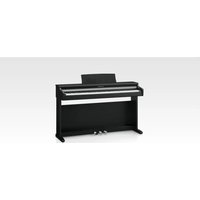
Concert Performer CP209 - Piano KAWAI - Free user manual and instructions
Find the device manual for free Concert Performer CP209 KAWAI in PDF.


Pick your language and provide your email: we'll send you a specifically translated version.
| Product Type | Digital Piano |
| Brand | Kawai |
| Model | Concert Performer CP209 |
| Keyboard Action | Grand Feel III wooden-key action with escapement |
| Sound Engine | Harmonic Imaging XL with 88-key sampling |
| Polyphony | 256 notes |
| Number of Sounds | 88 voices |
| Speakers | 4-way, 8-speaker system (2 x 7 cm, 2 x 13 cm, 2 x 2 cm, 2 x 25 cm) with 180 W amplification |
| Pedals | Grand Feel pedal system: damper, soft, sostenuto |
| Dimensions (W x D x H) | 1440 x 465 x 920 mm (56.7 x 18.3 x 36.2 in) |
| Weight | 73 kg (161 lb) |
| Power Consumption | 55 W |
| Power Supply | AC 100-240V, 50/60 Hz (auto-voltage) |
| Connectivity | USB to Host, USB to Device, MIDI (In/Out), Audio In/Out, Headphone jacks (x2) |
| Display | 5" LCD touchscreen |
| Internal Songs | 358 pieces |
| Recording | 16-track MIDI recorder, WAV/MP3 audio recorder (USB) |
| Bluetooth | Audio and MIDI (version 5.0) |
| Maintenance | Clean with soft dry cloth; avoid liquids and direct sunlight |
| Safety | Do not disassemble; use only included power adapter; keep away from heat sources |
| Spare Parts | Contact Kawai dealer or authorized service center for replacement parts |
Frequently Asked Questions - Concert Performer CP209 KAWAI
How do I assemble the CP209?
The CP209 usually requires assembly of the stand and pedal unit. Refer to the included assembly guide. Ensure all screws are tightened securely but do not overtighten.
Can I adjust the touch sensitivity?
Yes, you can change the touch curve via the Touch setting in the menu. Options include Light, Normal, Heavy, and Fixed.
How do I connect the piano to a computer?
Use a USB cable from the USB to Host port to your computer. The piano will appear as a MIDI device. You may need to install drivers from the Kawai website.
What does the transpose function do?
Transpose shifts the pitch of the keyboard without changing the keys you play. It is useful when playing with other instruments or singers. Access it from the Transpose button.
How do I record my performance?
Press the REC button to start recording. You can save MIDI recordings internally or record audio to a USB flash drive. Stop with the same button.
Can I use headphones?
Yes, plug headphones into one of the two headphone jacks on the front left underside. The speakers will mute automatically.
How do I clean the keys?
Use a slightly damp, soft cloth with mild soap. Wipe gently and dry immediately. Avoid abrasive cleaners or excessive moisture.
What is the warranty period?
Kawai typically offers a 5-year warranty for the keyboard and electronics, and 2 years for labor. Check your local dealer for exact terms.
How do I update the firmware?
Visit the Kawai support page for the CP209, download the latest firmware to a USB drive, insert it, and follow the on-screen update instructions.
The power won't turn on. What should I do?
Check the power cable connection and ensure the socket works. Try a different outlet. If the problem persists, contact Kawai support. Do not open the piano.
User questions about Concert Performer CP209 KAWAI
0 question about this device. Answer the ones you know or ask your own.
Ask a new question about this device
No questions yet. Be the first to ask one.
Download the instructions for your Piano in PDF format for free! Find your manual Concert Performer CP209 - KAWAI and take your electronic device back in hand. On this page are published all the documents necessary for the use of your device. Concert Performer CP209 by KAWAI.
USER MANUAL Concert Performer CP209 KAWAI
Manual assistant
Powered by Anthropic
Waiting for your message
Product information
Brand : KAWAI
Model : Concert Performer CP209
Category : Piano