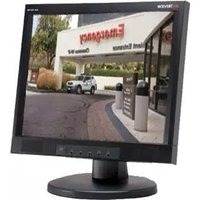
TME43 - Monitor Tatung - Free user manual and instructions
Find the device manual for free TME43 Tatung in PDF.


Pick your language and provide your email: we'll send you a specifically translated version.
| Product Type | Monitor |
| Brand | Tatung |
| Model | TME43 |
| Display Size | 17 inches (43 cm) |
| Display Technology | CRT (Cathode Ray Tube) |
| Maximum Resolution | 1280 x 1024 |
| Recommended Resolution | 1024 x 768 @ 75 Hz |
| Dot Pitch | 0.27 mm |
| Input Signal | Analog RGB 15-pin D-sub VGA |
| Synchronization Range | Horizontal 30-70 kHz, Vertical 50-160 Hz |
| Power Requirements | 100-240 V AC, 50/60 Hz |
| Power Consumption | 75 W (max), less than 10 W in standby |
| Weight | Approx. 13.5 kg |
| Dimensions (W x H x D) | 407 x 418 x 430 mm |
| Plug and Play | Yes (DDC) |
| On-Screen Display | Yes (OSD) |
| Safety Features | CE, FCC, UL approved |
| Cleaning Instructions | Use a soft, dry lint-free cloth; unplug before cleaning |
| Maintenance | Keep ventilation clear and avoid humidity |
| Spare Parts and Repairability | Qualified service only; replaceable power cord and signal cable |
| Package Contents | Monitor, power cord, VGA cable, user manual |
Frequently Asked Questions - TME43 Tatung
How do I connect the Tatung TME43 monitor to my computer?
Connect the VGA cable from the monitor to your computer's video port, then plug in the power cord. Turn on the monitor and computer, and adjust the resolution using your operating system's display settings.
What is the recommended resolution for the TME43?
The recommended resolution for optimal image quality is 1024 x 768 at a refresh rate of 75 Hz. You can set this via your computer's display settings or the monitor's OSD menu.
How should I clean the screen of my TME43?
Always turn off and unplug the monitor before cleaning. Wipe the screen with a soft, dry cloth to avoid scratching. Do not use abrasive cleaners or spray liquids directly onto the screen.
The monitor screen flickers. What can I do?
Screen flickering usually indicates an incorrect refresh rate. Set the refresh rate to 75 Hz in your display settings. Also ensure the VGA cable is securely connected and not damaged.
My monitor shows 'No Signal' on the screen. What should I check?
Check that the power cord is plugged in and the monitor is turned on. Verify the VGA cable is connected to both the monitor and the computer's video output. If using a laptop, make sure it is set to extend or duplicate the display.
Can I connect my TME43 to a device with HDMI output?
The TME43 features only a VGA input. For HDMI devices, you will need a HDMI-to-VGA adapter. Note that the signal will be converted to analog, and quality may vary.
How do I adjust the brightness and contrast?
Use the On-Screen Display (OSD) buttons located on the front or side of the monitor. Navigate to the Brightness/Contrast menu, and adjust the values using the control buttons.
Does the TME43 have built-in speakers?
No, this model does not include built-in speakers. You will need to connect external speakers to your computer for audio output.
What is the power consumption of the TME43?
The monitor consumes approximately 75 watts at full brightness and less than 10 watts in standby mode. To save energy, use the power button to turn it off when not in use.
Can I use the TME43 for long working hours?
Yes, the TME43 is designed for extended use. To reduce eye fatigue, take regular breaks, adjust brightness to comfortable levels, and ensure the ventilation slots are not blocked to prevent overheating.
User questions about TME43 Tatung
0 question about this device. Answer the ones you know or ask your own.
Ask a new question about this device
No questions yet. Be the first to ask one.
Download the instructions for your Monitor in PDF format for free! Find your manual TME43 - Tatung and take your electronic device back in hand. On this page are published all the documents necessary for the use of your device. TME43 by Tatung.
USER MANUAL TME43 Tatung
Manual assistant
Powered by Anthropic
Waiting for your message
Product information
Brand : Tatung
Model : TME43
Category : Monitor