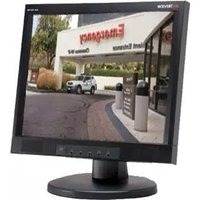
TME50 - Monitor Tatung - Free user manual and instructions
Find the device manual for free TME50 Tatung in PDF.


Pick your language and provide your email: we'll send you a specifically translated version.
| Product Type | Monitor |
| Brand | Tatung |
| Model | TME50 |
| Display Size | 17 inches |
| Resolution | 1280 x 1024 (typical) |
| Refresh Rate | 60 Hz |
| Display Type | CRT (Cathode Ray Tube) |
| Input Connectors | VGA (15-pin D-sub) |
| Dimensions (W x H x D) | 430 x 450 x 430 mm |
| Weight | 15 kg |
| Power Requirements | 100-240 V, 50/60 Hz |
| Power Consumption | 80 W (typical) |
| Energy Star Compliant | Yes |
| Plug and Play | DDC1/2B compatible |
| Controls | On-screen display (OSD) with buttons |
| Mounting | VESA 100 x 100 mm compatible |
| Swivel Range | ±45° |
| Tilt Range | -5° to +15° |
| Cleaning Instructions | Use a soft, dry cloth; avoid abrasive cleaners. |
| Safety Standards | FCC, CE, UL listed |
| Spare Parts Availability | Contact Tatung support for replacement parts. |
| Repairability | Serviceable by qualified technician only. |
Frequently Asked Questions - TME50 Tatung
How do I connect my Tatung TME50 monitor to my computer?
Connect the VGA cable from the monitor to the VGA port on your computer. Ensure both devices are turned off before connecting, then power them on. If your computer has a DVI or HDMI port, you may need an adapter.
What should I do if the monitor screen is flickering?
Check the video cable connection and ensure it is secure. Adjust the refresh rate in your computer's display settings to 60 Hz. If flickering persists, try a different cable or port.
How do I clean the screen of the Tatung TME50?
Turn off the monitor and unplug it. Use a soft, lint-free cloth slightly dampened with water to gently wipe the screen. Do not use alcohol, ammonia, or abrasive cleaners.
Can I mount this monitor on a wall?
Yes, the Tatung TME50 supports VESA 100x100 mm mounting. Use a compatible wall mount bracket and ensure it can support the monitor's weight (15 kg). Follow the instructions carefully.
What is the maximum resolution supported by the TME50?
The monitor supports a maximum resolution of 1280 x 1024 at 60 Hz. For optimal image quality, set your computer to this resolution.
The monitor power LED is not turning on. What should I check?
First, ensure the power cord is firmly connected to both the monitor and a working electrical outlet. Try a different outlet. If still off, the internal power supply may be faulty; contact Tatung support.
How do I access the on-screen display (OSD) menu?
Press the 'Menu' button on the front panel of the monitor. Use the arrow buttons to navigate through options like brightness, contrast, and geometry. Press 'Menu' again to exit.
Is the Tatung TME50 compatible with modern computers?
Yes, but you may need a VGA port or a VGA-to-HDMI/DVI adapter. Older computers typically have VGA, while newer ones may require an adapter.
What should I do if the display is blurry or distorted?
Check the video cable for bent pins or damage. Adjust the resolution to the native 1280x1024. Use the OSD 'Auto Adjust' feature to optimize image geometry.
How do I dispose of the Tatung TME50 monitor responsibly?
Do not throw it in household trash. Take it to an electronic waste recycling center or contact your local waste management for proper disposal. The monitor contains materials that require special handling.
User questions about TME50 Tatung
0 question about this device. Answer the ones you know or ask your own.
Ask a new question about this device
No questions yet. Be the first to ask one.
Download the instructions for your Monitor in PDF format for free! Find your manual TME50 - Tatung and take your electronic device back in hand. On this page are published all the documents necessary for the use of your device. TME50 by Tatung.
USER MANUAL TME50 Tatung
Manual assistant
Powered by Anthropic
Waiting for your message
Product information
Brand : Tatung
Model : TME50
Category : Monitor