PT-FX500U - Video projector PANASONIC - Free user manual and instructions
Find the device manual for free PT-FX500U PANASONIC in PDF.


Pick your language and provide your email: we'll send you a specifically translated version.
| Product Type | Video projector |
| Brand | Panasonic |
| Model | PT-FX500U |
| Native Resolution | 1024 x 768 pixels (XGA) |
| Brightness | 5,000 lumens |
| Contrast Ratio | 2,000:1 |
| Display Technology | 3LCD |
| Light Source | 320 W UHM lamp |
| Lamp Life | 3,000 hours (Normal), 5,000 hours (Eco) |
| Aspect Ratio | 4:3 |
| Optical Zoom | 2.0x powered zoom |
| Lens Shift | Motorized vertical and horizontal |
| Keystone Correction | Vertical ±30° |
| Inputs | HDMI, DVI-D, VGA, S-Video, Composite, Audio |
| Outputs | Monitor out, Audio out |
| Control | RS-232C, LAN, USB |
| Power Consumption | 480 W (max), 0.5 W (standby) |
| Dimensions (W x H x D) | 530 x 167 x 429 mm |
| Weight | 16.0 kg |
| Noise Level | 35 dB (Normal), 28 dB (Eco) |
| Operating Temperature | 0°C to 45°C |
| Security | Kensington lock, security bar |
| Maintenance | Lamp and filter replacement |
| Spare Parts | Lamp (ET-LAF300), Filter (ET-RAF300) |
Frequently Asked Questions - PT-FX500U PANASONIC
How do I connect a laptop to the PT-FX500U?
Use an HDMI cable or a VGA cable (with an audio cable) to connect your laptop to the projector. Plug into the HDMI or COMPUTER input, then press the INPUT button on the projector or remote to select the correct source.
How do I replace the projector lamp?
Turn off the projector and unplug it. Open the lamp cover, remove the old lamp by unscrewing the retaining screws, insert the new lamp, and tighten the screws. Close the cover, reconnect power, and reset the lamp timer via the OSD menu.
How can I mount the projector on the ceiling?
The projector has standard mounting points for a ceiling bracket. Use a Panasonic-approved mount and follow the instructions in the manual. Ensure proper ventilation and that the mount can support the projector's weight (16 kg).
How do I clean the air filter?
Turn off the projector and disconnect power. Slide out the filter unit from the side of the projector. Clean it with a vacuum or replace it if clogged. Reinstall the filter and reconnect power. It is recommended to clean the filter every 2,000 hours of operation.
How do I adjust the image size and focus?
Use the motorized zoom and focus controls on the projector or remote. For precise positioning, use the lens shift knobs to move the image vertically and horizontally without moving the projector.
How do I enable ECO mode?
Press the MENU button, go to the Setup menu, select Lamp Mode, and choose ECO. This reduces brightness and noise while extending lamp life. ECO mode lowers the fan speed and energy consumption.
Can I control the projector over a network?
Yes, the PT-FX500U has a LAN port for network control. Use the Web control interface or standard protocols like PJLink, AMX, and Crestron for centralized management.
Why is the image not displaying?
First check that the lens cap is removed. Then verify the correct input source is selected and that the signal cable is securely connected. If the indicator lights flash, consult the manual for error codes. The lamp may need replacement.
What throw distance gives a 100-inch screen?
For a 100-inch 4:3 screen, the throw distance is approximately 4.7 to 9.4 meters depending on the zoom position. Use the zoom ring to adjust within this range and the lens shift to fine-tune the image placement.
How do I reset the projector to factory defaults?
Press MENU, navigate to the Setup menu, select Reset, and confirm your choice. This restores all settings to factory values, including image, sound, and network settings.
User questions about PT-FX500U PANASONIC
0 question about this device. Answer the ones you know or ask your own.
Ask a new question about this device
No questions yet. Be the first to ask one.
Download the instructions for your Video projector in PDF format for free! Find your manual PT-FX500U - PANASONIC and take your electronic device back in hand. On this page are published all the documents necessary for the use of your device. PT-FX500U by PANASONIC.
USER MANUAL PT-FX500U PANASONIC
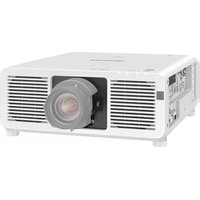
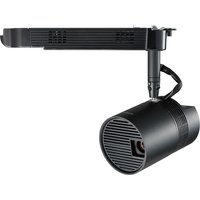
Manual assistant
Powered by Anthropic
Waiting for your message
Product information
Brand : PANASONIC
Model : PT-FX500U
Category : Video projector