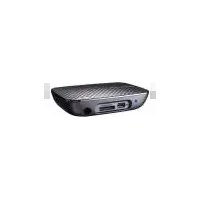
O!Play BDS-500 - Media player ASUS - Free user manual and instructions
Find the device manual for free O!Play BDS-500 ASUS in PDF.


Pick your language and provide your email: we'll send you a specifically translated version.
| Product Type | Blu-ray Disc Player / Media Player |
| Brand | ASUS |
| Model | O!Play BDS-500 |
| Color | Black |
| Dimensions (W x H x D) | 430 mm x 50 mm x 250 mm |
| Weight | 2.5 kg |
| Power Supply | AC 100-240 V, 50/60 Hz |
| Power Consumption | 25 W (typical) |
| Disc Playback | BD-ROM, BD-R, BD-RE, DVD±R, DVD±RW, CD, CD-R, CD-RW |
| Video Codecs | MPEG-2, H.264, VC-1, DivX, WMV |
| Audio Codecs | Dolby TrueHD, DTS-HD Master Audio, MP3, WMA, AAC |
| Image Formats | JPEG, PNG, GIF, BMP |
| Video Outputs | HDMI 1.3, Composite, Component |
| Audio Outputs | Stereo RCA, Coaxial, Optical |
| Connectivity | Ethernet 10/100, Wi-Fi 802.11n, 2x USB 2.0 |
| Main Functions | Full HD 1080p playback, DVD upscaling, media streaming from local network and USB drives |
| Maintenance | Clean the external surfaces with a soft dry cloth; avoid using solvents |
| Safety | Keep away from moisture; ensure proper ventilation; do not place heavy objects on top |
| Spare Parts & Repairability | No user-serviceable parts inside; contact an authorized ASUS service center for repairs |
| General Information | Includes remote control and user manual; supports energy-saving standby mode |
Frequently Asked Questions - O!Play BDS-500 ASUS
What disc formats does the ASUS O!Play BDS-500 support?
The player supports Blu-ray Disc (BD-ROM, BD-R, BD-RE) as well as DVD, CD, and recordable variants such as DVD±R, DVD±RW, CD-R, and CD-RW.
Can I play video files from a USB drive?
Yes, the O!Play BDS-500 has USB 2.0 ports that allow playback of video, audio, and image files from external storage devices.
How do I connect the player to my TV?
Use an HDMI cable for the best quality connection to your TV. Alternatively, you can use component or composite video outputs depending on your TV's inputs.
Does the device support full HD 1080p playback?
Yes, the O!Play BDS-500 supports Full HD 1080p output, delivering crisp and high-definition picture quality.
How should I clean the player?
Clean the exterior with a soft, dry cloth. Do not use any liquid cleaners or abrasive materials that could damage the surface.
What should I do if the player does not read a disc?
Check that the disc is inserted with the label facing up and that it is clean and free of scratches. If problems persist, try a different disc to determine if the issue is with the player or the disc.
Is the device equipped with Wi-Fi?
Yes, the O!Play BDS-500 includes built-in Wi-Fi 802.11n for wireless network connectivity, allowing easy streaming from your home network.
Can I update the firmware?
Yes, firmware updates can be downloaded from the ASUS support website and installed via USB or network connection to ensure optimal performance and compatibility.
How do I set up the network connection?
Connect an Ethernet cable to the LAN port or select your Wi-Fi network in the setup menu. Enter your network password if required, and the player will connect to your home network.
What safety precautions should I take?
Place the player on a stable, well-ventilated surface away from moisture and heat sources. Do not block ventilation holes, and unplug the device during thunderstorms or when not in use for a long period.
User questions about O!Play BDS-500 ASUS
0 question about this device. Answer the ones you know or ask your own.
Ask a new question about this device
No questions yet. Be the first to ask one.
Download the instructions for your Media player in PDF format for free! Find your manual O!Play BDS-500 - ASUS and take your electronic device back in hand. On this page are published all the documents necessary for the use of your device. O!Play BDS-500 by ASUS.
USER MANUAL O!Play BDS-500 ASUS




Manual assistant
Powered by Anthropic
Waiting for your message
Product information
Brand : ASUS
Model : O!Play BDS-500
Category : Media player