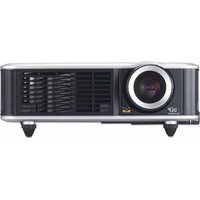
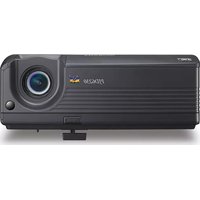
PGD-350 - Video projector VIEWSONIC - Free user manual and instructions
Find the device manual for free PGD-350 VIEWSONIC in PDF.


Pick your language and provide your email: we'll send you a specifically translated version.
| Product Type | Video Projector |
| Brand | ViewSonic |
| Model | PGD-350 |
| Display Technology | DLP |
| Brightness | 3500 ANSI Lumens |
| Resolution | XGA (1024 x 768) |
| Contrast Ratio | 22000:1 |
| Lamp Life | Up to 5000 hours (Normal Mode) |
| Projection Size | 30" to 300" |
| Throw Ratio | 1.96 - 2.15 |
| Keystone Correction | ± 40° |
| Connectivity | HDMI, VGA, Composite, USB |
| Built-in Speaker | 2W Mono |
| Noise Level | 32 dB (Eco Mode) |
| Dimensions (W x D x H) | 294 x 218 x 90 mm |
| Weight | 2.1 kg |
| Power Consumption | 260W (Standard Mode) |
| Power Supply | AC 100-240V, 50/60Hz |
| Maintenance | Clean air filter every 100 hours |
| Safety Warning | Unplug before cleaning; do not look directly into lens |
| Spare Parts | Replacement lamp (model RLC-XXX) |
| Manual Languages | English, French, Spanish, etc. |
Frequently Asked Questions - PGD-350 VIEWSONIC
What is the recommended cleaning procedure for the air filter?
Turn off the projector and unplug it. Open the filter compartment, remove the filter, and gently clean it with a soft brush or compressed air. Do not use water. Replace the filter if it is damaged. Cleaning every 100 hours helps maintain cooling performance.
How long does the lamp last?
The lamp can last up to 5000 hours in normal mode and up to 6000 hours in eco mode. Actual lifespan depends on usage conditions and settings.
How can I connect my laptop to the projector?
Use an HDMI cable or a VGA cable to connect your laptop to the corresponding input on the projector. Select the correct input source via the remote control or the projector's control panel.
What does keystone correction do and how do I use it?
Keystone correction adjusts the image to a rectangular shape when the projector is angled. Press the Keystone button on the remote, then use the arrow keys to correct vertical distortion. The range is ±40 degrees.
Can I use the projector for home theater?
Yes, the PGD-350 supports XGA resolution and a high contrast ratio, making it suitable for presentations and movie screenings. Connect a media player via HDMI for best results.
How do I replace the lamp?
Turn off the projector and disconnect the power. Wait for the lamp to cool, then remove the lamp cover on the back. Unscrew the old lamp, disconnect the cable, and insert the new lamp. Tighten the screws and replace the cover. Reset the lamp timer through the menu.
What is the ideal projection distance for a 100-inch screen?
With a throw ratio of 1.96 - 2.15, place the projector approximately 4.3 to 4.8 meters from the screen for a 100-inch diagonal image.
How do I power on the projector?
Connect the power cable and press the Power button on the top panel or the remote control. The LED indicator will light up and the lamp will warm up.
Is it safe to use the projector in ambient light?
The projector has 3500 ANSI lumens, so it can display a visible image in moderately lit rooms. For best image quality, reduce ambient light.
How can I reset the lamp timer after replacement?
Go to the Settings menu, select Lamp Timer Reset, and confirm. This ensures accurate lamp life tracking.
User questions about PGD-350 VIEWSONIC
0 question about this device. Answer the ones you know or ask your own.
Ask a new question about this device
No questions yet. Be the first to ask one.
Download the instructions for your Video projector in PDF format for free! Find your manual PGD-350 - VIEWSONIC and take your electronic device back in hand. On this page are published all the documents necessary for the use of your device. PGD-350 by VIEWSONIC.
USER MANUAL PGD-350 VIEWSONIC

Manual assistant
Powered by Anthropic
Waiting for your message
Product information
Brand : VIEWSONIC
Model : PGD-350
Category : Video projector