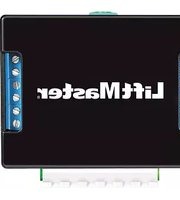
71-17148 - Uncategorized LiftMaster - Free user manual and instructions
Find the device manual for free 71-17148 LiftMaster in PDF.


Pick your language and provide your email: we'll send you a specifically translated version.
| Brand | LiftMaster |
| Model | 71-17148 |
| Product Type | Replacement Garage Door Opener Remote Control |
| Compatibility | Select LiftMaster garage door openers with Learn button |
| Operating Frequency | 315 MHz |
| Power Source | CR2032 coin cell battery (3V) |
| Battery Life | 1-2 years typical |
| Transmission Range | Up to 100 feet (30 meters) |
| Number of Buttons | 3 |
| Color | Black |
| Dimensions | 1.5 x 2.5 x 0.5 inches (approx.) |
| Weight | 1.1 ounces |
| Operating Temperature | -20°C to 50°C (-4°F to 122°F) |
| Installation | No wiring required; easy do-it-yourself programming |
| Maintenance | Clean with a dry cloth; keep away from water |
| Safety | Complies with FCC and UL standards |
| Spare Parts | Battery replaceable; no internal user-serviceable parts |
| Warranty | 1-year limited warranty |
Frequently Asked Questions - 71-17148 LiftMaster
How do I program the LiftMaster 71-17148 remote control to my garage door opener?
To program your 71-17148, locate the Learn button on your opener motor unit. Press and release it, then press and hold the desired button on the remote for about 3 seconds. The opener light should blink or click, confirming the program. For multiple remotes, repeat the process.
What type of battery does the 71-17148 use?
The 71-17148 uses a CR2032 coin cell battery rated at 3 volts. This is a common battery available at most retail stores. To replace it, simply open the remote's casing and insert the new battery with the positive side facing up.
How long does the battery last in normal use?
Under typical usage, the battery in the 71-17148 lasts 1 to 2 years. Factors such as frequency of use, temperature, and ambient conditions can affect battery life. When the range decreases, it's a good indicator that the battery should be replaced.
Can I use the 71-17148 with any LiftMaster garage door opener?
The 71-17148 is designed to work with select LiftMaster openers that support the same frequency and rolling code technology. Check your opener's compatibility by looking for a purple or yellow Learn button. If your opener is older, you may need a different remote model.
How do I reset the 71-17148 remote?
To reset the remote, simply erase all programmed buttons by holding a button for 10 seconds until the LED blinks off. Or, to clear it from the opener's memory, press and hold the Learn button on the opener for 6 seconds until the indicator light goes out. Then reprogram the remote as needed.
Is the LiftMaster 71-17148 compatible with Chamberlain brand openers?
Since LiftMaster and Chamberlain share the same technology platforms, the 71-17148 is often compatible with Chamberlain openers that feature the same Learn button and frequency. Refer to your opener's manual for confirmation, or contact technical support.
How do I replace the battery in the 71-17148?
To replace the battery, look for a small screw or clip on the back of the remote. Open the casing carefully, remove the old CR2032 battery, and insert a new one, ensuring the polarity matches the diagram inside. Close the casing and test the remote.
What is the transmission range of the 71-17148?
The 71-17148 has a typical operational range of up to 100 feet (30 meters) in open environments. Solid obstacles like walls and metal structures can reduce this range. For better performance, hold the remote pointing toward the opener and ensure the battery is fresh.
Can I program the 71-17148 to work with my car's built-in garage door opener?
Yes, you can program the Homelink or Car2U system in your vehicle by using the 71-17148 as a training remote. Press the button you want to program on your car, then hold the corresponding button on the remote until the car's indicator light blinks rapidly, indicating successful sync.
What should I do if the remote stops working?
First, check the battery and replace it if necessary. Next, ensure the remote is not damaged and the LEDs light up when pressed. If the issue persists, reprogram the remote to the opener by using the Learn button. If it still fails, contact LiftMaster customer support.
User questions about 71-17148 LiftMaster
0 question about this device. Answer the ones you know or ask your own.
Ask a new question about this device
No questions yet. Be the first to ask one.
Download the instructions for your Uncategorized in PDF format for free! Find your manual 71-17148 - LiftMaster and take your electronic device back in hand. On this page are published all the documents necessary for the use of your device. 71-17148 by LiftMaster.
USER MANUAL 71-17148 LiftMaster
Manual assistant
Powered by Anthropic
Waiting for your message
Product information
Brand : LiftMaster
Model : 71-17148
Category : Uncategorized