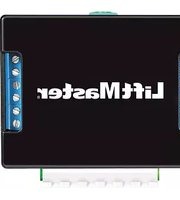
LMDBPACK - Uncategorized LiftMaster - Free user manual and instructions
Find the device manual for free LMDBPACK LiftMaster in PDF.


Pick your language and provide your email: we'll send you a specifically translated version.
| Product Type | Garage Door Opener Accessory Pack |
| Brand | LiftMaster |
| Model | LMDBPACK |
| Compatibility | Designed for LiftMaster garage door openers (check specific models) |
| Dimensions (Approx.) | 10 x 8 x 4 inches |
| Weight | 2.5 lbs |
| Power Source | Battery operated (CR2032 or similar, depending on component) |
| Key Functions | Includes remote control(s), safety sensors, and mounting hardware for garage door opener installation |
| Included Components | 2x remote controls, 1x wall control, safety reversing sensors, mounting brackets, screws |
| Communication Protocol | Security+ 2.0 (rolling code) |
| Range | Up to 100 ft (line of sight) |
| Operating Temperature | -20°F to 120°F |
| Safety Compliance | UL 325 compliant |
| Maintenance | Replace batteries annually; clean sensors with soft cloth; check alignment regularly |
| Cleaning | Use mild soap and water; avoid solvents |
| Spare Parts Availability | Individual components (remotes, sensors) available for purchase |
| Repairability | Modular design allows easy replacement of faulty parts |
| Warranty | 1 year limited warranty |
| Manual Languages | English (EN) |
| PDF Manual Pages | 27 |
Frequently Asked Questions - LMDBPACK LiftMaster
How do I program the remote control included in the LMDBPACK?
Press the Learn button on the garage door opener motor unit until the LED lights up. Then press the button on the remote within 30 seconds. The opener will flash or click to confirm.
What type of batteries do the remotes use?
The remotes typically use a CR2032 lithium coin cell battery. Remove the cover to access the battery compartment.
How do I install the safety sensors?
Mount the sensors on each side of the garage door, 6 inches above the floor. Connect the wires to the opener terminals: white to white, white/black to gray. Ensure the LED indicators are solid (not flashing).
My garage door won't close. What should I check?
First, check if the safety sensors are aligned and clean. If the sensor LEDs are off or blinking, realign them. Also verify the door isn't obstructed and the close limit setting is correct.
Can I use the LMDBPACK with any LiftMaster opener?
The LMDBPACK is designed for compatibility with most Security+ 2.0 LiftMaster openers manufactured after 2011. Always check your opener's compatibility in the manual.
How do I replace the battery in the wall control?
The wall control typically does not require a battery; it is powered by the opener via the wires. If it has a battery backup, remove the cover and replace the CR2032 battery.
What is the range of the remote controls?
The remotes have a typical range of 100 feet in open air. Obstacles such as metal doors or walls may reduce the range.
How do I clear all remote codes from the opener?
Press and hold the Learn button on the opener for about 6 seconds until the LED turns off. All programmed remotes will be erased, and you will need to reprogram them.
Is the LMDBPACK water-resistant?
The components are designed for indoor use only. Keep remotes and sensors away from moisture. Do not install sensors where they can be exposed to rain or sprinklers.
Where can I find replacement parts for the LMDBPACK?
Replacement parts such as remotes, sensors, and brackets can be purchased from authorized LiftMaster dealers or the official website. Use the model number to find compatible parts.
User questions about LMDBPACK LiftMaster
0 question about this device. Answer the ones you know or ask your own.
Ask a new question about this device
No questions yet. Be the first to ask one.
Download the instructions for your Uncategorized in PDF format for free! Find your manual LMDBPACK - LiftMaster and take your electronic device back in hand. On this page are published all the documents necessary for the use of your device. LMDBPACK by LiftMaster.
USER MANUAL LMDBPACK LiftMaster

Manual assistant
Powered by Anthropic
Waiting for your message
Product information
Brand : LiftMaster
Model : LMDBPACK
Category : Uncategorized