AELD - Uncategorized LiftMaster - Free user manual and instructions
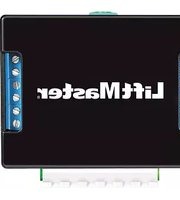
Find the device manual for free AELD LiftMaster in PDF.


Pick your language and provide your email: we'll send you a specifically translated version.
| Product Type | Garage Door Opener |
| Brand | LiftMaster |
| Model | AELD |
| Motor Type | DC Motor with Soft Start/Stop |
| Horsepower | 1/2 HP |
| Drive Type | Belt Drive |
| Power Supply | 120V AC, 60Hz |
| Dimensions (Unit) | 12 x 8 x 6 inches |
| Weight | 11 lbs (5 kg) |
| Remote Controls Included | 2 x 3-Button Remotes (Model 893LM) |
| Safety Sensors | Precision-Engineered IR Sensors |
| Door Compatibility | Sectional doors up to 7 ft tall |
| Lighting | Built-in LED light with 24-hour timer |
| Operating Temperature | -20°F to 120°F (-29°C to 49°C) |
| Security Features | Security+ 2.0™ Rolling Code Technology |
| MyQ® Smart Compatibility | Compatible with MyQ® for remote monitoring |
| Battery Backup | Available optional battery backup (Model 475LM) |
| Maintenance | Lubricate rails and check cables monthly |
| Spare Parts Availability | Remotes, sensors, belts, and circuit boards |
| Warranty | Limited lifetime motor warranty, 5 years parts |
Frequently Asked Questions - AELD LiftMaster
How do I program a remote control to my LiftMaster AELD?
Press the LEARN button on the opener for 1 second until the LED lights. Then press the remote button twice. The opener will click or lights flash to confirm.
What should I do if the garage door opener does not respond?
Check power supply, ensure safety sensors are aligned and clean, and verify remote batteries. If using a wall control, check its connection.
How do I adjust the force settings on the AELD?
Locate the UP and DOWN force adjustment screws on the back panel. Turn clockwise to increase force, counterclockwise to decrease. Test door balance first.
Why does my garage door reverse before hitting the floor?
This is usually due to misaligned safety sensors. Check that the sensor lights are steady (green/amber). Clean sensor lenses and adjust brackets if needed.
How do I reset the memory on my LiftMaster AELD?
Press and hold the LEARN button for 6 seconds until the LED turns off. This erases all remotes and keypads. Re-program them afterwards.
Can I connect my AELD to my smartphone?
Yes, if you have a compatible MyQ® hub (sold separately) or a built-in MyQ® model. Download the MyQ® app and follow the setup instructions.
What type of battery does the remote use?
The remote (Model 893LM) uses a CR2032 lithium coin cell battery. Open the remote case to replace.
How do I lubricate the garage door opener?
Use a silicone-based lubricant on the belt/chain and rail. Do not use grease. Apply a small amount and run the door a few times.
My garage door opener makes a grinding noise. What should I check?
Inspect the belt or chain for wear or misalignment. Tighten if loose. If noise persists, the sprocket or motor may require professional service.
Is professional installation recommended for the AELD?
While DIY is possible, professional installation is recommended to ensure proper setup, safety sensor alignment, and compliance with local codes.
User questions about AELD LiftMaster
0 question about this device. Answer the ones you know or ask your own.
Ask a new question about this device
No questions yet. Be the first to ask one.
Download the instructions for your Uncategorized in PDF format for free! Find your manual AELD - LiftMaster and take your electronic device back in hand. On this page are published all the documents necessary for the use of your device. AELD by LiftMaster.
USER MANUAL AELD LiftMaster

Manual assistant
Powered by Anthropic
Waiting for your message
Product information
Brand : LiftMaster
Model : AELD
Category : Uncategorized