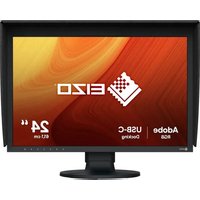
VOP-01 - Monitor EIZO - Free user manual and instructions
Find the device manual for free VOP-01 EIZO in PDF.


Pick your language and provide your email: we'll send you a specifically translated version.
| Product Type | Professional LCD Monitor |
| Brand | Eizo |
| Model | VOP-01 |
| Display Diagonal | 27 inches |
| Native Resolution | 2560 x 1440 (WQHD) |
| Panel Type | IPS |
| Aspect Ratio | 16:9 |
| Brightness | 350 cd/m² |
| Contrast Ratio | 1000:1 |
| Response Time | 5 ms (Gray-to-Gray) |
| Video Inputs | DisplayPort, HDMI, USB-C |
| USB Ports | 3-port USB 3.1 hub |
| VESA Mount | 100 x 100 mm |
| Ergonomics | Height adjustable, tilt, swivel, 90° pivot |
| Power Consumption | 35 W (typical) |
| Weight | 8.5 kg (with stand) |
| Dimensions (WxHxD) | 611 x 545 x 245 mm |
| Safety Features | Flicker-free, blue light reduction, TÜV Rheinland certified |
| Cleaning Instructions | Use a soft dry cloth; avoid harsh chemicals |
| Warranty | 3 years limited warranty |
Frequently Asked Questions - VOP-01 EIZO
How do I connect my Eizo VOP-01 to my computer?
Use the DisplayPort, HDMI, or USB-C cable included with the monitor. Simply plug one end into the monitor and the other into your computer. For USB-C, ensure your computer supports video output over USB-C. Once connected, the monitor should automatically detect the signal.
Can I mount this monitor on a VESA arm?
Yes, the VOP-01 supports VESA 100 x 100 mm mounting. Remove the stand by pressing the release button and pulling it off, then attach the VESA bracket using the screws provided with your mounting arm.
How do I adjust the screen settings?
Press the menu button on the lower right bezel to open the on-screen display (OSD). Use the adjustment buttons to navigate through options like brightness, contrast, and color temperature. Press the menu button again to confirm settings.
What is the best resolution for this monitor?
The native resolution of the VOP-01 is 2560 x 1440 (WQHD). For the sharpest image, set your computer's display settings to this resolution. This ensures optimal pixel mapping and clarity.
How can I reduce eye strain?
The monitor includes flicker-free technology and a blue light reduction mode. Activate the Paper Mode or EcoView settings in the OSD to minimize blue light emissions and adjust brightness to match your ambient lighting.
Is the monitor compatible with Mac?
Yes, the VOP-01 works with Mac computers. Use the USB-C or HDMI connection. For USB-C, it supports video and data transfer, and can also charge your Mac laptop with up to 60W power delivery.
How do I clean the screen?
Turn off the monitor and unplug it. Use a soft, dry, lint-free cloth to gently wipe the screen. For stubborn stains, slightly dampen the cloth with distilled water or a screen-cleaning solution. Do not spray liquids directly on the panel.
Does the monitor have built-in speakers?
No, the VOP-01 does not include integrated speakers. It provides an audio line-out port on the back, allowing you to connect external speakers or headphones directly to the monitor.
How do I enable the USB hub?
Connect the USB-C cable (or a separate USB-A to USB-B upstream cable) from your computer to the monitor. This activates the 3-port USB 3.1 hub on the side of the monitor, allowing you to plug in peripherals like a keyboard and mouse.
What should I do if the monitor has a dead pixel?
Eizo's quality standards allow for a small number of sub-pixel defects that do not affect overall performance. If the issue is persistent and visible, contact Eizo support for a warranty evaluation. Most dead pixel issues are covered within the first year.
User questions about VOP-01 EIZO
0 question about this device. Answer the ones you know or ask your own.
Ask a new question about this device
No questions yet. Be the first to ask one.
Download the instructions for your Monitor in PDF format for free! Find your manual VOP-01 - EIZO and take your electronic device back in hand. On this page are published all the documents necessary for the use of your device. VOP-01 by EIZO.
USER MANUAL VOP-01 EIZO

Manual assistant
Powered by Anthropic
Waiting for your message
Product information
Brand : EIZO
Model : VOP-01
Category : Monitor