
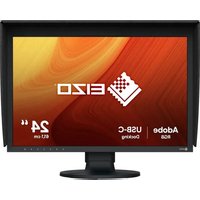
FlexScan FLT - Monitor EIZO - Free user manual and instructions
Find the device manual for free FlexScan FLT EIZO in PDF.


Pick your language and provide your email: we'll send you a specifically translated version.
| Brand | Eizo |
| Model | FlexScan FLT |
| Product Type | Monitor |
| Display Size | 24 inches (61 cm) |
| Resolution | 1920 x 1200 (WUXGA) |
| Aspect Ratio | 16:10 |
| Panel Type | IPS (estimated) |
| Brightness | 300 cd/m² (typical) |
| Contrast Ratio | 1000:1 (typical) |
| Viewing Angles | 178° horizontal / 178° vertical |
| Input Ports | DVI-D, DisplayPort, VGA |
| Power Consumption | 45 W (typical), <1 W standby |
| Power Supply | 100-240 V AC, 50/60 Hz |
| Weight (with stand) | 6.2 kg (approximately) |
| Dimensions (W x H x D) with stand | 553 x 357–487 x 200 mm |
| VESA Mount | 100 x 100 mm |
| Tilt / Swivel / Height Adjustment | -5° to 30° / 344° / 130 mm |
| Main Features | Auto EcoView, FineContrast, Digital Uniformity Equalizer |
| Maintenance | Wipe with a soft, dry cloth; do not use harsh chemicals |
| Safety | Keep ventilation slots clear; do not block vents |
| Spare Parts | Contact Eizo or authorized service center |
Frequently Asked Questions - FlexScan FLT EIZO
How do I adjust the brightness on my Eizo FlexScan FLT?
Press the Menu button on the front bezel, then navigate to Brightness using the arrow keys. Adjust with the +/- buttons. Press Menu again to exit.
Can I mount the monitor on a wall?
Yes, the monitor supports VESA standard 100 x 100 mm. Use a compatible wall mount arm or bracket.
What video inputs does the FlexScan FLT support?
It supports DVI-D, DisplayPort, and VGA inputs. Check the included cables.
How can I reduce eye strain while using this monitor?
Enable the Auto EcoView function, which adjusts brightness based on ambient light. Also, use FineContrast modes for your tasks and ensure proper lighting.
What is the recommended cleaning method for the screen?
Turn off the monitor. Wipe the screen gently with a soft, lint-free cloth. If needed, lightly dampen the cloth with water. Do not use alcohol or abrasive cleaners.
How do I calibrate the monitor for accurate colors?
Use the on-screen display (OSD) menu to adjust Color settings. For professional calibration, use an external colorimeter and software. The monitor supports 10-bit color display internally.
Why is there no image on the screen?
Check that the power cable is connected and the power indicator is lit. Ensure the video cable is securely attached to both the monitor and computer. Try switching inputs using the OSD menu.
Can I rotate the screen to portrait mode?
Yes, the monitor can be rotated 90 degrees. Be sure to install the included ScreenManager Pro software for automatic orientation adjustment.
What is the warranty period for this monitor?
Eizo typically offers a 5-year warranty on the FlexScan series, excluding the LCD panel. Check your local warranty terms.
How do I enable energy-saving features?
Go to the OSD menu under Power Management and enable Power Save. The monitor will automatically enter standby when no signal is detected.
User questions about FlexScan FLT EIZO
0 question about this device. Answer the ones you know or ask your own.
Ask a new question about this device
No questions yet. Be the first to ask one.
Download the instructions for your Monitor in PDF format for free! Find your manual FlexScan FLT - EIZO and take your electronic device back in hand. On this page are published all the documents necessary for the use of your device. FlexScan FLT by EIZO.
USER MANUAL FlexScan FLT EIZO
Manual assistant
Powered by Anthropic
Waiting for your message
Product information
Brand : EIZO
Model : FlexScan FLT
Category : Monitor