S2202WH-GY - Monitor EIZO - Free user manual and instructions
Find the device manual for free S2202WH-GY EIZO in PDF.


Pick your language and provide your email: we'll send you a specifically translated version.
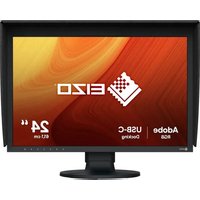
| Product Type | Monitor |
| Brand | EIZO |
| Model | S2202WH-GY |
| Display Size | 22 inches (16:10 widescreen) |
| Native Resolution | 1680 x 1050 (WSXGA+) |
| Panel Type | TN (Twisted Nematic) |
| Brightness | 300 cd/m² (typical) |
| Contrast Ratio | 1000:1 (typical) |
| Response Time | 5 ms (gray-to-gray) |
| Viewing Angles | 160° horizontal / 160° vertical |
| Video Inputs | 1 x DVI-D (with HDCP), 1 x D-Sub (VGA) |
| USB Hub | 2-port USB 2.0 |
| Ergonomics | Height, tilt, swivel and pivot adjustments |
| Power Supply | AC 100-240 V, 50/60 Hz |
| Power Consumption | 55 W maximum, <1 W in standby |
| Dimensions (W x H x D) | 524 x 480 x 235 mm (with stand) |
| Weight | About 6.5 kg (with stand) |
| Cleaning | Wipe with a soft, dry cloth; avoid liquid cleaners or sprays |
| Safety | Follow all safety instructions provided in the user manual |
| Repairability | Contact EIZO authorized service for spare parts and repairs |
Frequently Asked Questions - S2202WH-GY EIZO
How do I clean my EIZO S2202WH-GY monitor?
Unplug the monitor and wipe the screen with a soft, lint-free cloth slightly dampened with water. Avoid abrasive materials, alcohol, or ammonia-based cleaners.
What is the native resolution of the S2202WH-GY?
The native resolution is 1680 x 1050 pixels (WSXGA+), which delivers sharp text and wide-screen visuals for everyday use.
Can I mount this monitor on a wall?
Yes, the monitor supports VESA mounting (100 x 100 mm). Use a wall bracket rated for at least the monitor's weight (approximately 6.5 kg).
How do I reset the monitor settings to factory defaults?
Press the Menu button on the front bezel, navigate to the Settings or Others menu, then select Reset and confirm to restore default values.
Does the S2202WH-GY have built-in speakers?
No, it does not have integrated speakers. You'll need to connect external speakers or headphones to your computer's audio output.
What types of cables are included with the monitor?
The package typically includes a DVI-D cable, a VGA cable, a USB upstream cable, and a power cord. Confirm contents with your retailer.
How can I reduce power consumption?
Lower the brightness via the on-screen menu, enable power-saving modes, and make sure the monitor enters standby when the computer goes to sleep.
Is the monitor compatible with Mac computers?
Yes, it works with Macs that have a DVI or VGA output. For newer Macs with USB-C/Thunderbolt, use an appropriate adapter.
How do I adjust the screen position?
Use the height-adjustable stand: squeeze the release latch to change height, tilt the screen forward/backward, swivel left/right, and rotate into portrait mode for flexible placement.
What should I do if the monitor does not display any picture?
Check that the power cable is connected and the monitor is turned on. Verify the video cable is securely attached to both monitor and PC. Then press the input selection button to cycle between DVI and VGA inputs.
User questions about S2202WH-GY EIZO
0 question about this device. Answer the ones you know or ask your own.
Ask a new question about this device
No questions yet. Be the first to ask one.
Download the instructions for your Monitor in PDF format for free! Find your manual S2202WH-GY - EIZO and take your electronic device back in hand. On this page are published all the documents necessary for the use of your device. S2202WH-GY by EIZO.
USER MANUAL S2202WH-GY EIZO

Manual assistant
Powered by Anthropic
Waiting for your message
Product information
Brand : EIZO
Model : S2202WH-GY
Category : Monitor