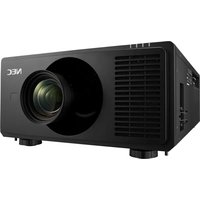
XV-Z10000U - Video projector SHARP - Free user manual and instructions
Find the device manual for free XV-Z10000U SHARP in PDF.


Pick your language and provide your email: we'll send you a specifically translated version.
| Product Type | Video projector |
| Brand | Sharp |
| Model | XV-Z10000U |
| Display Technology | DLP (Digital Light Processing) |
| Native Resolution | 1280 x 720 (HD ready) |
| Brightness | 800 ANSI lumens |
| Contrast Ratio | 2500:1 |
| Lamp Life | Up to 3000 hours in eco mode |
| Projection Size | 30 to 300 inches diagonal |
| Connectivity | HDMI, DVI, component, S-Video, composite, RGB |
| Power Supply | AC 100-240V, 50/60Hz |
| Power Consumption | Approx. 300W (standby <5W) |
| Dimensions (W x H x D) | Approx. 315 x 295 x 110 mm |
| Weight | Approx. 6.5 kg |
| Noise Level | Approx. 30 dB in quiet mode |
| Keystone Correction | Vertical digital keystone correction |
| Main Functions | High-definition video projection, multiple source inputs, image adjustment, ceiling mounting support |
| Maintenance and Cleaning | Clean the lens with a soft, dry cloth; replace the lamp at the end of its life; clean ventilation filters |
| Safety | Do not look directly into the lens; ensure adequate ventilation to prevent overheating |
| Spare Parts and Repairability | Replaceable lamp unit; accessible filters; serviceable by authorized technicians |
| General Information | Supports 16:9 and 4:3 aspect ratios; user manual available in PDF format |
Frequently Asked Questions - XV-Z10000U SHARP
How do I connect a laptop to the SHARP XV-Z10000U projector?
To connect a laptop, use a VGA or HDMI cable from the laptop output to the corresponding port on the projector. Then select the correct input source using the remote control or source button. For high-definition content, choose the HDMI input for the best quality.
What is the recommended lamp replacement schedule?
The lamp life is rated up to 3000 hours in eco mode and about 2000 hours in standard mode. When the lamp indicator lights up or the image becomes dim, it is time to replace the lamp. Always use a genuine Sharp lamp for reliability.
How do I clean the projector lens?
To clean the lens, turn off the projector and allow it to cool. Use a soft, dry microfiber cloth and gently wipe the lens in a circular motion. Do not use liquid cleaners or sprays directly on the lens, as they may damage the coating.
The image is upside down, what should I do?
If the image is upside down, it is likely because the projector is mounted on the ceiling or inverted. Go to the on-screen menu, select the Projection Mode or Display Orientation setting, and choose the appropriate option such as Ceiling Mount or Rear Ceiling to correct the image orientation.
Can I use a 4K source with this projector?
The Sharp XV-Z10000U has a native resolution of 1280x720 pixels. It can accept 4K signals, but the projector will downscale them to its native resolution. For the sharpest image, use sources that match its 720p resolution.
How can I adjust keystone distortion?
Keystone distortion happens when the projector is not perpendicular to the screen. Use the Keystone Correction option in the menu to adjust the vertical distortion. Press the menu button on the remote control, navigate to the Image or Settings submenu, and use the arrow keys to fine-tune the shape.
Is there a built-in speaker?
No, the Sharp XV-Z10000U does not have a built-in speaker. You need to connect external audio speakers or an amplifier to the audio output port or use a source that connects audio separately.
How do I set the projector on the ceiling?
To mount the projector on a ceiling, use a compatible ceiling mount that fits the mounting holes on the bottom of the projector. Ensure the mount is secured to a structural ceiling member, and attach the projector firmly. After mounting, select the Ceiling Front projection mode in the menu to flip the image upside down.
What should I do if the projector does not turn on?
First, check that the power cable is connected and the power outlet is working. Make sure the lamp cover is securely closed, as the projector has a safety interlock. If the temperature or lamp indicator is blinking, refer to the status lights to diagnose the issue. If the problem persists, contact service support.
How do I update the firmware of the projector?
This model does not have a user-accessible firmware update method via standard ports. Firmware updates are typically performed by authorized service centers if necessary. For normal use, simply connect your sources and adjust the settings via the on-screen menu.
User questions about XV-Z10000U SHARP
0 question about this device. Answer the ones you know or ask your own.
Ask a new question about this device
No questions yet. Be the first to ask one.
Download the instructions for your Video projector in PDF format for free! Find your manual XV-Z10000U - SHARP and take your electronic device back in hand. On this page are published all the documents necessary for the use of your device. XV-Z10000U by SHARP.
USER MANUAL XV-Z10000U SHARP


Manual assistant
Powered by Anthropic
Waiting for your message
Product information
Brand : SHARP
Model : XV-Z10000U
Category : Video projector