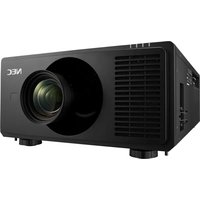
PGM20X - Video projector SHARP - Free user manual and instructions
Find the device manual for free PGM20X SHARP in PDF.


Pick your language and provide your email: we'll send you a specifically translated version.
| Product type | Video projector |
| Brand | Sharp |
| Model | PGM20X |
| Display technology | 3LCD |
| Native resolution | XGA (1024 x 768) |
| Brightness | 2000 ANSI lumens |
| Contrast ratio | 500:1 |
| Aspect ratio | 4:3 |
| Projection distance | 1.2 - 11.4 m |
| Projection screen size | 21.5 - 300 inches |
| Lamp power | 200 W |
| Lamp life | 3000 hours (Standard mode) |
| Keystone correction | Automatic vertical correction |
| Input ports | Composite video, S-Video, RGB D-Sub 15 pin, audio input |
| Output ports | RGB output, audio output |
| Speaker | 1 x 2 W |
| Noise level | 39 dB |
| Power consumption | 300 W (Operating), 3 W (Standby) |
| Dimensions (W x D x H) | 275 x 290 x 95 mm |
| Weight | 2.8 kg |
| Operating temperature | 0 - 35 °C |
| Safety features | Auto power-off, overheat protection |
| Cleaning and maintenance | Clean lens with soft cloth, clean air filter periodically |
| Lamp replacement | Replaceable with Sharp original lamp module |
| Repairability | Easy access to lamp and filter for replacement |
Frequently Asked Questions - PGM20X SHARP
How do I connect a computer to the Sharp PGM20X projector?
To connect a computer, use a VGA cable and plug it into the RGB D-Sub 15 pin input port on the projector. Then connect the other end to your computer's VGA output. After connecting, select the corresponding input source via the remote or control panel.
How should I clean the projector lens?
Turn off the projector and let it cool down. Use a soft microfiber cloth to gently wipe the lens in a circular motion. If needed, dampen the cloth slightly with lens cleaning solution. Avoid touching the lens with your fingers.
What is the recommended lamp replacement procedure?
Unplug the projector and allow the lamp to cool for at least 45 minutes. Remove the lamp cover and unscrew the lamp module. Install the new Sharp original lamp and screw it in place. Replace the cover and reset the lamp timer via the menu.
How can I determine the optimal projection distance?
The optimal distance depends on the desired screen size. For a 100-inch screen, place the projector approximately 3.5 meters away. Refer to the projection distance table in the manual for precise values.
Why won't my projector turn on?
Check that the power cord is securely plugged in and the power outlet is active. Ensure the lamp cover is properly closed and the lamp is installed correctly. If the projector still does not turn on, the lamp or internal fuse may need replacement.
How do I adjust the focus and zoom?
Use the focus ring and zoom ring on the lens to sharpen the image and adjust the size. Turn the rings until the image is clear and fits the screen as desired.
Can the PGM20X be mounted on the ceiling?
Yes, the projector supports ceiling mounting. Use a compatible projector mount and follow the safety instructions in the manual. Ensure the mount is securely attached and the projector is properly ventilated.
What should I do if the projected image is blurry?
Adjust the focus ring until the image becomes sharp. Also check the projection distance and ensure the projector is perpendicular to the screen. Use keystone correction to fix any trapezoid distortion.
How do I set up keystone correction?
Go to the Setup menu on the projector and select Keystone. Use the arrow keys to adjust the vertical tilt until the image is rectangular. The projector also has automatic vertical correction.
What maintenance does the projector require?
Regularly clean the air filter to prevent overheating and replace the lamp when needed. Clean the lens with a soft cloth, and check cables and connections periodically for safety.
User questions about PGM20X SHARP
0 question about this device. Answer the ones you know or ask your own.
Ask a new question about this device
No questions yet. Be the first to ask one.
Download the instructions for your Video projector in PDF format for free! Find your manual PGM20X - SHARP and take your electronic device back in hand. On this page are published all the documents necessary for the use of your device. PGM20X by SHARP.
USER MANUAL PGM20X SHARP


Manual assistant
Powered by Anthropic
Waiting for your message
Product information
Brand : SHARP
Model : PGM20X
Category : Video projector