NHS-5002 - Soundbar Naxa - Free user manual and instructions
Find the device manual for free NHS-5002 Naxa in PDF.


Pick your language and provide your email: we'll send you a specifically translated version.
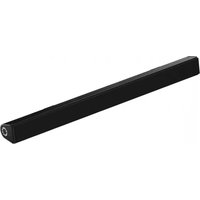
| Product Type | Soundbar |
| Brand | Naxa |
| Model Number | NHS-5002 |
| Color | Black |
| Audio Channels | 2.1 channel with subwoofer output |
| Total Power Output | 70W RMS |
| Bluetooth | Yes, version 5.0 |
| Connectivity | Bluetooth, AUX, USB, HDMI ARC |
| USB Playback | Yes, supports MP3 files |
| FM Radio | Yes, built-in |
| Remote Control | Included |
| Power Supply | AC 100-240V, 50/60Hz |
| Mounting | Tabletop or wall-mountable |
| Dimensions (W x H x D) | Approx. 90 cm x 10 cm x 8 cm |
| Weight | Approx. 2.5 kg |
| Frequency Response | 20Hz - 20kHz |
| Signal-to-Noise Ratio | ≥ 75 dB |
| Care and Cleaning | Wipe with a soft, dry cloth; do not use solvents |
| Safety Instructions | Do not expose to rain or moisture; unplug during storms |
| Repairability | No user-serviceable parts; contact qualified service |
| General Information | 1-year limited warranty |
Frequently Asked Questions - NHS-5002 Naxa
How do I pair my soundbar with a Bluetooth device?
To pair, press the Source button on the remote control or unit until BT mode is selected. On your smartphone or tablet, enable Bluetooth and search for Naxa NHS-5002. Select it to connect. If a password is needed, enter 0000.
Why is there no sound from the soundbar?
Check the volume level on both the soundbar and the connected device. Ensure the correct input source is selected. For TV connections, confirm the TV's audio output is set to external speakers. If using Bluetooth, make sure the device is paired and within range.
Can I control the soundbar with the TV remote?
If your TV supports HDMI ARC, connect the soundbar to the ARC port. The soundbar's CEC function allows basic volume control with the TV remote. Enable CEC on your TV settings.
How do I reset the soundbar to factory settings?
To reset, press and hold the Power button for 5 seconds until the display shows RESET. Alternatively, disconnect the power cord for 10 minutes. This clears all pairing and settings.
How do I use the USB port?
Connect a USB flash drive with MP3 files to the USB port. Press the Source button to select USB mode. Files will play automatically. Use the skip and play/pause buttons on the remote to control playback.
How do I mount the soundbar on the wall?
Use the wall-mount brackets included. Screw the brackets to the back of the soundbar. Mark the hole positions on the wall, drill holes, and insert anchors. Attach the soundbar to the wall securely. Ensure the soundbar is level.
How do I clean the soundbar?
Use a soft, dry cloth to wipe the exterior. Do not use abrasive cleaners or solvents. Avoid getting moisture into the speaker grilles.
Does the soundbar have a subwoofer output?
Yes, the NHS-5002 includes a wired subwoofer output or built-in subwoofers. Check the audio settings to adjust bass output.
What is the maximum Bluetooth range?
The Bluetooth range is approximately 10 meters in open space. Obstacles like walls can reduce the range.
How do I set the FM radio?
Press the Source button to select FM mode. Press and hold the play/pause button for auto-scan. Use the tuning buttons to find stations. The soundbar can store presets.
User questions about NHS-5002 Naxa
0 question about this device. Answer the ones you know or ask your own.
Ask a new question about this device
No questions yet. Be the first to ask one.
Download the instructions for your Soundbar in PDF format for free! Find your manual NHS-5002 - Naxa and take your electronic device back in hand. On this page are published all the documents necessary for the use of your device. NHS-5002 by Naxa.
USER MANUAL NHS-5002 Naxa

Manual assistant
Powered by Anthropic
Waiting for your message
Product information
Brand : Naxa
Model : NHS-5002
Category : Soundbar