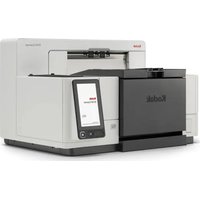
Spectrum XF - Scanner KODAK - Free user manual and instructions
Find the device manual for free Spectrum XF KODAK in PDF.


Pick your language and provide your email: we'll send you a specifically translated version.
| Product Type | Flatbed Scanner |
| Brand | Kodak |
| Model | Spectrum XF |
| Scan Area | 8.5 x 11.7 inches (A4) |
| Optical Resolution | 2400 x 2400 dpi |
| Interpolated Resolution | 9600 x 9600 dpi |
| Color Depth | 48-bit input, 24-bit output |
| Scan Speed | 8 seconds per A4 at 300 dpi |
| Light Source | Cold cathode fluorescent lamp |
| Interface | USB 2.0 |
| Power Supply | AC adapter, 100-240 V, 50/60 Hz |
| Power Consumption | 15 W active, 5 W standby |
| Dimensions | 483 x 283 x 60 mm (W x D x H) |
| Weight | 2.5 kg |
| Operating Temperature | 5 to 35 degrees Celsius |
| Operating Humidity | 10 to 80% non-condensing |
| Compatibility | Windows 98/ME/2000/XP, Mac OS 9/X |
| Included Software | Scanning and image editing software |
| Maintenance | Clean the glass platen with a dry soft cloth |
| Repairability | Replaceable parts include power adapter and USB cable |
Frequently Asked Questions - Spectrum XF KODAK
How do I connect the Kodak Spectrum XF scanner to my computer?
Connect the USB cable to a free USB port on your computer and plug the AC adapter into a power outlet. The system will automatically detect the new hardware and prompt you to install the driver from the included CD or downloaded software.
What software is needed to use the scanner?
The scanner comes with a driver and a basic scanning application on the included CD. You can also use TWAIN-compatible programs like Adobe Photoshop or the built-in Windows scanning tools after the driver is installed.
How can I scan a document at the highest resolution?
In the scanning software, select the optical resolution of 2400 dpi or interpolated 9600 dpi. For high-quality prints, 600 dpi is usually sufficient. Higher resolutions produce larger files and slower scans.
Why is my scanner not recognized by the computer?
Check that the USB cable is securely connected to both the scanner and the computer. Try a different USB port. Ensure the driver is properly installed and restart both devices. If it still fails, test the scanner on another computer.
Can I scan 35mm film or slides with the Spectrum XF?
The standard model is designed for reflective documents like photos and paper. To scan film, you would need a separate transparency adapter which is not included. Please refer to the manual for compatible accessories.
How often should I clean the scanner glass?
Clean the glass platen whenever you notice dust or smudges affecting scan quality. Use a dry, lint-free cloth and gently wipe the surface. Avoid excess pressure to prevent scratches.
Does the Spectrum XF work with Windows 10?
The original driver may not support Windows 10. Check Kodak's website for an updated driver or use the Windows built-in scanner driver with TWAIN compatibility. If no driver is available, consider older operating system compatibility.
How can I scan multiple pages automatically?
The Kodak Spectrum XF is a flatbed scanner, so it lacks an automatic document feeder. You can scan each page individually and then combine the images into a single PDF using your scanning software or a PDF tool.
What should I do if the scanner lamp does not turn on?
First, ensure the AC adapter is connected and the power switch is on. If the lamp still does not light up, the lamp may need replacement - contact an authorized service center. Do not attempt to open the scanner yourself.
How do I set the scan area for a small photo?
In most scanning software, you can make a preview scan and then drag the selection rectangle around the photo. The scanner will only capture the selected area, saving time and file size.
User questions about Spectrum XF KODAK
0 question about this device. Answer the ones you know or ask your own.
Ask a new question about this device
No questions yet. Be the first to ask one.
Download the instructions for your Scanner in PDF format for free! Find your manual Spectrum XF - KODAK and take your electronic device back in hand. On this page are published all the documents necessary for the use of your device. Spectrum XF by KODAK.
USER MANUAL Spectrum XF KODAK
Manual assistant
Powered by Anthropic
Waiting for your message
Product information
Brand : KODAK
Model : Spectrum XF
Category : Scanner