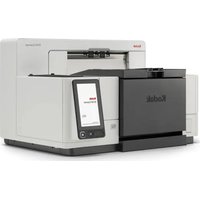
Sidekick 1200 - Scanner KODAK - Free user manual and instructions
Find the device manual for free Sidekick 1200 KODAK in PDF.


Pick your language and provide your email: we'll send you a specifically translated version.
| Product Type | Document Scanner |
| Brand | Kodak |
| Model | Sidekick 1200 |
| Scanning Technology | CIS (Contact Image Sensor) |
| Optical Resolution | 600 dpi (dots per inch) |
| Scan Speed (Color) | Up to 12 pages per minute |
| Maximum Document Size | Legal (8.5 x 14 inches) |
| Automatic Document Feeder (ADF) | Yes, 20-sheet capacity |
| Duplex Scanning | Yes, automatic |
| Connectivity | USB 2.0 (Type B) |
| Power Supply | AC Adapter (100-240 V, 50/60 Hz) |
| Power Consumption | 15 W (operating), <0.5 W (sleep) |
| Dimensions (W x D x H) | 11.8 x 7.9 x 5.1 inches (300 x 200 x 130 mm) |
| Weight | 2.5 kg (5.5 lbs) |
| Supported Media | Paper, plastic cards, receipts |
| Software Included | Kodak Capture Pro, TWAIN driver |
| Operating Systems Supported | Windows 10/11, macOS 10.15+ |
| Maintenance | Clean glass and rollers with lint-free cloth |
| Safety | Do not expose to liquids; unplug during cleaning |
| Spare Parts | Replacement ADF roller kit, separation pad |
| Repairability | User-replaceable rollers and pads; service center for other issues |
Frequently Asked Questions - Sidekick 1200 KODAK
How do I clean the scanner glass and rollers?
Use a lint-free cloth slightly dampened with water or isopropyl alcohol. Gently wipe the glass and rollers. Do not use abrasive cleaners. Allow to dry before use.
What should I do if the scanner is not picking up paper?
Check that the paper guides are adjusted to the document width. Ensure the ADF is not overloaded (max 20 sheets). Clean the ADF rollers and separation pad. Replace if worn.
Can I scan plastic cards with the Sidekick 1200?
Yes, the scanner supports scanning plastic cards (e.g., ID cards, credit cards) through the manual feed slot or ADF, but avoid cards with raised embossing.
How do I install the scanner on Windows 11?
Download the latest drivers from the Kodak Alaris support website. Connect the USB cable, run the installer, and follow on-screen instructions. The scanner should appear as a TWAIN device.
What is the maximum scan resolution?
The optical resolution is 600 dpi. You can set higher resolutions via software interpolation, but 600 dpi is recommended for optimal quality.
Why are my scanned images showing vertical lines?
This is usually caused by dust or debris on the CIS sensor or glass. Clean the glass and sensor area. If lines persist, the sensor may need professional service.
Does the scanner support duplex scanning?
Yes, the Sidekick 1200 has automatic duplex scanning. Enable 'Duplex' in your scanning software to scan both sides of a document in one pass.
How do I replace the ADF rollers?
Open the ADF cover, release the roller clip, slide out the old roller, and insert a new one. Use only genuine Kodak roller kits. Reset the roller counter in the software if needed.
The scanner is not recognized by my computer. What can I do?
Try a different USB port or cable. Ensure the driver is installed correctly. Check Device Manager for conflicts. Restart both the scanner and computer. If still not recognized, try a different computer.
Can I use the scanner without the ADF?
Yes, you can scan single pages or books by placing them directly on the flatbed (if your model has one) or feeding through the manual slot. The ADF is optional for batch scanning.
User questions about Sidekick 1200 KODAK
0 question about this device. Answer the ones you know or ask your own.
Ask a new question about this device
No questions yet. Be the first to ask one.
Download the instructions for your Scanner in PDF format for free! Find your manual Sidekick 1200 - KODAK and take your electronic device back in hand. On this page are published all the documents necessary for the use of your device. Sidekick 1200 by KODAK.
USER MANUAL Sidekick 1200 KODAK
Manual assistant
Powered by Anthropic
Waiting for your message
Product information
Brand : KODAK
Model : Sidekick 1200
Category : Scanner