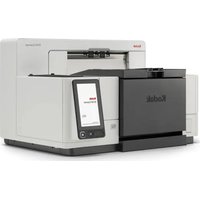
i250 - Scanner KODAK - Free user manual and instructions
Find the device manual for free i250 KODAK in PDF.


Pick your language and provide your email: we'll send you a specifically translated version.
| Product Type | Document Scanner |
| Brand | Kodak |
| Model | i250 |
| Scan Technology | Single-pass color CCD |
| Optical Resolution | 600 dpi |
| Maximum Document Size | 8.5 x 14 inches (A4/Letter) |
| Scan Speed | Up to 50 ppm (black and white, 200 dpi) |
| Dimensions (W x D x H) | 12.2 x 11.8 x 7.5 inches (310 x 300 x 190 mm) |
| Weight | 8.8 lbs (4.0 kg) |
| Power Supply | External power adapter (100-240 V AC, 50/60 Hz) |
| Connectivity | USB 2.0 |
| Supported Operating Systems | Windows 10/8/7, macOS 10.12+ |
| Daily Duty Cycle | 2,000 scans per day |
| Automatic Document Feeder (ADF) | 50-sheet capacity |
| Maintenance | Periodic cleaning of scanner glass and ADF rollers |
| Safety | Complies with FCC, CE, and UL standards |
| Spare Parts | ADF roller kit, separation pad, scanner glass |
| Repair Information | Contact Kodak authorized service center for repairs |
| Warranty | 1 year limited warranty |
Frequently Asked Questions - i250 KODAK
How do I clean the scanner glass on my Kodak i250?
Turn off the scanner and unplug it. Use a soft, lint-free cloth slightly dampened with water or a mild glass cleaner to gently wipe the glass. Avoid using abrasive cleaners. Let it dry completely before use.
What should I do if the scanner is not picking up paper from the ADF?
Check the ADF roller and separation pad for wear or debris. Clean them with a soft cloth and isopropyl alcohol. If the issue persists, replace the roller kit or separation pad as they are consumable parts.
How can I connect the Kodak i250 to my computer?
Use a USB 2.0 cable to connect the scanner to your computer. Install the latest drivers from the Kodak website. The scanner should be recognized automatically after installation.
Why are my scanned images coming out with streaks?
Streaks are often caused by dust or dirt on the scanner glass or the CCD sensor. Clean the glass and the white calibration strip. If streaks persist, run the scanner's calibration routine from the software.
Can I scan documents larger than A4?
The Kodak i250 supports documents up to 8.5 x 14 inches (legal size). For longer documents, use the long document scanning mode if available, but ensure the document fits the ADF path.
How do I replace the ADF roller kit?
Open the ADF cover, remove the old rollers by releasing the clips, and insert the new rollers. Ensure they are seated correctly. Close the cover and run a test scan. The roller kit is a consumable item.
What is the recommended daily scan volume for the i250?
The recommended duty cycle is up to 2,000 scans per day. Exceeding this may cause premature wear. For higher volumes, consider a more heavy-duty scanner.
Does the scanner require a software installation?
Yes, you need to install the KODAK Capture Pro software or a compatible TWAIN/ISIS driver. The software is available for free from Kodak's support website.
What should I do if the scanner is not powering on?
Check the power adapter connection and ensure the outlet is working. Try a different power cord if available. If it still doesn't turn on, contact Kodak support for assistance.
How can I improve scan speed?
Use a lower resolution (e.g., 200 dpi) for faster scans. Ensure the USB connection is 2.0 or higher. Also, close other applications to free up system resources.
User questions about i250 KODAK
0 question about this device. Answer the ones you know or ask your own.
Ask a new question about this device
No questions yet. Be the first to ask one.
Download the instructions for your Scanner in PDF format for free! Find your manual i250 - KODAK and take your electronic device back in hand. On this page are published all the documents necessary for the use of your device. i250 by KODAK.
USER MANUAL i250 KODAK
Manual assistant
Powered by Anthropic
Waiting for your message
Product information
Brand : KODAK
Model : i250
Category : Scanner