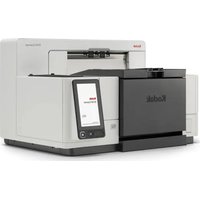
i65 - Scanner KODAK - Free user manual and instructions
Find the device manual for free i65 KODAK in PDF.


Pick your language and provide your email: we'll send you a specifically translated version.
| Product Type | Desktop Document Scanner |
| Model | Kodak i65 |
| Scanner Type | Automatic Document Feeder (ADF) |
| Optical Resolution | 600 dpi |
| Max Document Size | A4 / Legal (216 x 356 mm) |
| Connectivity | USB 2.0 |
| Power Source | USB bus power or optional AC adapter |
| Weight | 1.5 kg (3.3 lbs) |
| Dimensions (W x D x H) | 300 x 200 x 150 mm |
| Color Depth | 48-bit color, 24-bit output |
| Scan Speed | Up to 20 ppm (monochrome, 200 dpi) |
| Supported Operating Systems | Windows, macOS |
| Included Software | Kodak Capture Pro, TWAIN driver |
| Maintenance | Regular cleaning of ADF rollers and glass strip with lint-free cloth and isopropyl alcohol |
| Safety | Keep away from liquids; never insert objects into feeder slot; disconnect power during cleaning |
| Spare Parts | Roller replacement kit, separation pad available |
| General Information | Compact design, reliable scanning for small offices and home use |
Frequently Asked Questions - i65 KODAK
What is the maximum document size the Kodak i65 can scan?
The Kodak i65 supports documents up to A4/Legal size (216 x 356 mm).
Does the scanner work with macOS?
Yes, the Kodak i65 is compatible with Windows and macOS operating systems.
How do I clean the scanner rollers?
Use a lint-free cloth lightly moistened with isopropyl alcohol to wipe the rollers. Let them dry completely before use.
What should I do if a paper jam occurs?
Open the ADF cover, gently remove the jammed paper. Check for any torn pieces and clean the rollers if necessary.
Can I scan directly to PDF?
Yes, using the included Kodak Capture Pro software, you can scan directly to PDF, JPEG, TIFF, and other formats.
Is the scanner USB powered or does it need an external adapter?
The Kodak i65 can be powered via USB bus power when connected to a computer, but an optional AC adapter is available for more consistent performance.
What is the scanning speed?
At 200 dpi monochrome, the scanner can achieve up to 20 pages per minute (simplex).
Where can I find replacement parts?
Replacement parts such as rollers and separation pads are available through Kodak authorized resellers or online.
Does the scanner have an automatic document feeder?
Yes, it features an Automatic Document Feeder (ADF) for batch scanning.
How do I reset the scanner?
Turn off the scanner, disconnect USB cable, wait 30 seconds, then reconnect and power on. If issues persist, reinstall the driver software.
User questions about i65 KODAK
0 question about this device. Answer the ones you know or ask your own.
Ask a new question about this device
No questions yet. Be the first to ask one.
Download the instructions for your Scanner in PDF format for free! Find your manual i65 - KODAK and take your electronic device back in hand. On this page are published all the documents necessary for the use of your device. i65 by KODAK.
USER MANUAL i65 KODAK
Manual assistant
Powered by Anthropic
Waiting for your message
Product information
Brand : KODAK
Model : i65
Category : Scanner