8120 - Mobile Phone BLACKBERRY - Free user manual and instructions
Find the device manual for free 8120 BLACKBERRY in PDF.


Pick your language and provide your email: we'll send you a specifically translated version.
| Product Type | Smartphone |
| Brand | BlackBerry |
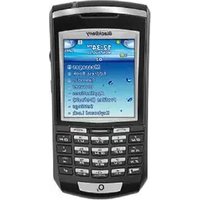
| Model | 8120 |
| Dimensions | 107 x 49.5 x 14 mm |
| Weight | 84 g |
| Display | 2.2-inch TFT, 240 x 260 pixels |
| Keyboard | Full QWERTY with SureType technology |
| Navigation | Trackball |
| Camera | 2.0 megapixel with digital zoom |
| Internal Memory | 64 MB RAM, 128 MB internal storage |
| Expandable Memory | microSD slot supporting up to 8 GB |
| Connectivity | Bluetooth 2.0, Wi-Fi 802.11 b/g, mini-USB |
| Network | Quad-band GSM/EDGE (850/900/1800/1900 MHz) |
| Battery | 900 mAh Li-Ion rechargeable |
| Battery Life | Talk time up to 4 hours, standby up to 360 hours |
| Operating System | BlackBerry OS 4.2 |
| Messaging | Push email, SMS, MMS, Instant Messaging |
| Multimedia | Music player, video player, polyphonic ringtones |
| Security | Password protection, device lock, encryption support |
| Maintenance & Cleaning | Wipe with a soft, dry cloth; avoid liquids and extreme temperatures |
| Spare Parts & Repairability | User-removable battery and microSD card |
Frequently Asked Questions - 8120 BLACKBERRY
How do I insert a SIM card into my BlackBerry 8120?
To insert a SIM card, remove the battery door and the battery. Slide the SIM card into the slot with the gold contacts facing down. Reinsert the battery and replace the cover.
How can I set up my email on the BlackBerry 8120?
Go to the Setup Wizard from the applications folder. Choose Email Setup and follow the prompts to configure your personal or corporate email account. For corporate email, you may need an activation password from your IT administrator.
How do I connect to a Wi-Fi network?
Navigate to Manage Connections, select Wi-Fi, and press the menu key. Choose Search for Networks, select your network, and enter the password if prompted. Once connected, the Wi-Fi icon appears at the top of the screen.
How can I check my battery life?
The battery indicator is located in the upper-right corner of the home screen. For a detailed percentage, go to Options > Status which displays the current battery level.
How do I reset my device if it freezes?
Perform a soft reset by turning the device off and on, or remove the battery for 10 seconds then reinsert it. For a hard reset, press and hold the Alt and Right Shift keys together, then press Delete while the device is on.
How can I transfer files via Bluetooth?
Ensure Bluetooth is enabled in Manage Connections. On the other device, send a file to your BlackBerry. You can also go to Media, select a file, and use Send via Bluetooth from the menu.
How do I take a photo with the camera?
Open the Camera application from the home screen. Aim at your subject and press the trackball or the Enter key to capture. Photos are stored in the Pictures application.
Can I install new applications on the 8120?
Yes, you can install apps by downloading from BlackBerry App World if available, or via direct download over the air or by using the Application Loader through your computer. Keep in mind that the device runs on an older OS, so compatibility may be limited.
How should I clean and maintain my BlackBerry 8120?
Turn off the device first. Use a soft, dry, lint-free cloth to wipe the screen and keyboard. Avoid using harsh chemicals, solvents, or compressed air. Keep the device away from water and extreme temperatures.
What should I do if the device does not charge?
Check that the charger cable is securely connected to the device and the power outlet. Try using a different outlet or a compatible charger. If the issue persists, remove the battery and reinsert it, then connect the charger. Consider replacing the battery if it no longer holds a charge.
User questions about 8120 BLACKBERRY
0 question about this device. Answer the ones you know or ask your own.
Ask a new question about this device
No questions yet. Be the first to ask one.
Download the instructions for your Mobile Phone in PDF format for free! Find your manual 8120 - BLACKBERRY and take your electronic device back in hand. On this page are published all the documents necessary for the use of your device. 8120 by BLACKBERRY.
USER MANUAL 8120 BLACKBERRY

Manual assistant
Powered by Anthropic
Waiting for your message
Product information
Brand : BLACKBERRY
Model : 8120
Category : Mobile Phone