8700C - Mobile Phone BLACKBERRY - Free user manual and instructions
Find the device manual for free 8700C BLACKBERRY in PDF.


Pick your language and provide your email: we'll send you a specifically translated version.
| Product Type | Smartphone |
| Brand | BlackBerry |
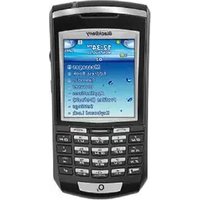
| Model | 8700C |
| Display Size | 2.6 inches |
| Display Resolution | 240 x 320 pixels |
| Keyboard | Full QWERTY keyboard |
| Operating System | BlackBerry OS 4.1 |
| Processor | 312 MHz Intel XScale |
| Memory | 64 MB flash memory, 16 MB RAM |
| Battery Capacity | 1100 mAh Li-Ion |
| Talk Time | Up to 4 hours |
| Standby Time | Up to 15 days |
| Connectivity | GSM 850/900/1800/1900, EDGE, Bluetooth 2.0 |
| Ports | Mini USB for power and data sync |
| Weight | 134 grams |
| Dimensions | 110 x 70 x 19.5 mm |
| Main Functions | Push email, SMS/MMS, instant messaging, web browser |
| Device Management | Compatible with BlackBerry Desktop Software |
| Security | Password protection and encryption support |
| Cleaning and Care | Wipe with soft, lint-free cloth; avoid liquids and solvents |
| Spare Parts and Repairability | Batteries and chargers available from authorized service centers |
| General Information | Manual covers 257 pages; free PDF download available |
Frequently Asked Questions - 8700C BLACKBERRY
How do I set up email on my BlackBerry 8700C?
To set up email, go to the Messages app, press the menu key, and select Email Settings. Follow the on-screen wizard to add your email account, choose the protocol (POP3 or IMAP), and enter your credentials. The device will automatically synchronize your messages.
How can I extend the battery life of the 8700C?
Reduce screen brightness, disable Bluetooth when not in use, and turn off the mobile network in low-coverage areas. Also, press the End key to make sure background apps are closed. Using the included power-saving mode can also help.
How do I perform a factory reset on the device?
Back up your data first. Go to Options > Security Options > General Settings, then select Wipe Handheld. Follow the prompts. Alternatively, you can use the BlackBerry Desktop Software to restore defaults.
Why is my device not connecting to the network?
Ensure the SIM card is properly inserted and the device is in an area with GSM coverage. Go to Options > Network and select Auto to let the device search for a network. If problems persist, restart the device or contact your service provider.
How do I transfer contacts from another phone?
Use the BlackBerry Desktop Software to import contacts from a previous device via USB or Bluetooth. You can also use the SIM Card to copy contacts by going to Address Book > Options > SIM Card and selecting Import.
What are the most useful QWERTY keyboard shortcuts?
Press M to open Messages, B for Browser, D for the Calendar, and S for the Search function. The Space bar scrolls down, and Alt + Enter switches between applications.
How do I update the operating system on my 8700C?
Connect the device to a computer and open the BlackBerry Desktop Software. Click Update Software and follow the instructions. Make sure your battery is at least 50% charged and maintain a stable USB connection during the update.
How can I troubleshoot a blank screen?
First, recharge the device for at least 30 minutes. Press and hold the Power button for 10 seconds to force a restart. If the screen remains blank, remove the battery and reinsert it after 10 seconds. If the issue continues, you may need a hardware repair.
How do I clean the device safely?
Turn off the phone and disconnect the charger. Use a soft, dry microfiber cloth to gently wipe the screen and keyboard. Avoid using water, alcohol, or abrasive cleaners on the device. Ensure no moisture gets into the ports.
How do I manage memory space on the phone?
Go to Options > Memory to see available space. Delete old messages, images, and apps. Use the File Manager to remove large files. Performing a battery pull once a week can also free up RAM.
User questions about 8700C BLACKBERRY
0 question about this device. Answer the ones you know or ask your own.
Ask a new question about this device
No questions yet. Be the first to ask one.
Download the instructions for your Mobile Phone in PDF format for free! Find your manual 8700C - BLACKBERRY and take your electronic device back in hand. On this page are published all the documents necessary for the use of your device. 8700C by BLACKBERRY.
USER MANUAL 8700C BLACKBERRY

Manual assistant
Powered by Anthropic
Waiting for your message
Product information
Brand : BLACKBERRY
Model : 8700C
Category : Mobile Phone