Athena - Thermostat Orbis - Free user manual and instructions
Find the device manual for free Athena Orbis in PDF.


Pick your language and provide your email: we'll send you a specifically translated version.
| Product type | Programmable Thermostat |
| Brand | Orbis |
| Model | Athena |
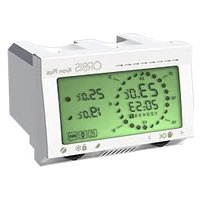
| Display | LCD with backlight |
| Temperature range | 5°C to 35°C |
| Accuracy | ±0.5°C |
| Control | Touch keys |
| Power supply | 2× AAA batteries (included) |
| Programming | 7-day programmable |
| Modes | Heat, Cool, Auto, Fan |
| Fan control | On / Auto |
| Compatibility | Most 24V heating systems |
| Dimensions | 120 × 80 × 25 mm |
| Weight | 180 g |
| Mounting | Wall-plate, standard hole pattern |
| Color | White |
| Security | Child lock, overheat protection |
| Maintenance | Clean with soft dry cloth |
| Spare parts | Replaceable battery cover, faceplate |
| Repairability | Modular design, user-serviceable battery compartment |
Frequently Asked Questions - Athena Orbis
How do I set the weekly heating schedule?
Press the Program button to enter scheduling mode. Use up/down keys to set time and temperature for each of the 7 days. Press Save to confirm.
What is the Auto mode?
Auto mode switches between Heating and Cooling automatically based on the ambient temperature and your setpoint, maintaining comfort.
How do I reset the thermostat to factory defaults?
Hold the Reset button (or press and hold the Menu key for 10 seconds) until the display shows RE. Release to restore defaults.
Is the Athena compatible with my heating system?
The Athena works with most 24V gas, oil, and electric systems. For high-voltage (120/240V) systems, a relay is required. Check the manual for compatibility details.
How often should I replace the batteries?
Under normal use, the AAA batteries last up to 12 months. When the battery icon blinks, replace both batteries.
Can I control the thermostat remotely?
No, the Athena is a stand-alone programmable unit. It does not support Wi-Fi or remote access. For remote control, consider the Orbis Smart series.
What does the Hold function do?
Hold temporarily overrides the schedule, keeping the set temperature constant until you cancel it. Press Hold to activate, and Run to resume schedule.
Why is the display showing an error code?
Error codes indicate sensor or system issues. For example, E1 means a shorted sensor. Refer to the error code table in the manual or contact Orbis support.
How do I clean the thermostat?
Use a soft, dry cloth to wipe the display and body. Do not use cleaners or water, as they may damage the electronics.
Does it have a backlight?
Yes, the LCD has an automatic backlight that activates when any button is pressed and turns off after a short delay.
User questions about Athena Orbis
0 question about this device. Answer the ones you know or ask your own.
Ask a new question about this device
No questions yet. Be the first to ask one.
Download the instructions for your Thermostat in PDF format for free! Find your manual Athena - Orbis and take your electronic device back in hand. On this page are published all the documents necessary for the use of your device. Athena by Orbis.
USER MANUAL Athena Orbis

Manual assistant
Powered by Anthropic
Waiting for your message
Product information
Brand : Orbis
Model : Athena
Category : Thermostat