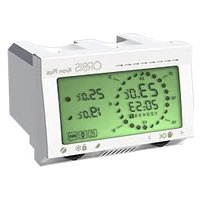
Orbis Top - Thermostat

Top - Thermostat Orbis - Free user manual and instructions

Find the device manual for free Top Orbis in PDF.

📄 4 pages English EN Download 💬 AI Question 10 questions ⚙️ Specs
Notice Orbis Top - page 1
Pick your language and provide your email: we'll send you a specifically translated version.
Brand Orbis
Model Top
Product Type Programmable Thermostat
Dimensions (W x H x D) 80 x 80 x 30 mm
Weight 150 g
Power Supply 2 x AA alkaline batteries (1.5 V each)
Battery Life Approximately 1 year under normal use
Display Type LCD digital display
Temperature Setting Range 5°C to 30°C
Anti-Frost Temperature 6°C (fixed)
Accuracy ±0.5°C
Operating Modes Manual, Automatic, Programmable
Programmable Schedules Up to 4 time intervals per day, 7 days independently
Cleaning Program Built-in cleaning cycle for system protection
Low Battery Indicator Yes, displayed on screen
Mounting Wall mount (screws and anchors included)
Compatibility Most heating and cooling systems
Certifications CE, RoHS

Frequently Asked Questions - Top Orbis

How do I install the Orbis Top thermostat?
Turn off the power to your HVAC system. Remove the old thermostat and label wires. Mount the new base plate, connect wires to corresponding terminals (marked in the manual), attach the faceplate, and restore power. Follow the startup instructions on the display.
What type of batteries does the Orbis Top use?
It uses 2 AA alkaline batteries. Do not use rechargeable batteries as they provide lower voltage.
How do I set the temperature?
Press the up/down arrows to adjust the desired temperature. The current setpoint will flash; after a few seconds it is saved. You can also use the programming menu for automatic schedules.
What is the anti-frost function?
The anti-frost function keeps the temperature at a minimum of 6°C to prevent pipes from freezing. It activates automatically when the room temperature drops to 6°C.
How do I program the thermostat?
Enter the programming mode by holding the 'P' button for 3 seconds. Set the time intervals (e.g., wake, leave, return, sleep) and desired temperatures for each. Repeat for other days if needed. Confirm with the 'OK' button.
What does the cleaning program do?
The cleaning program runs the heating system at full capacity for a short period to remove any blockages or buildup. It is recommended to run it monthly or after extended inactivity.
Why is my display showing a low battery symbol?
Replace both AA batteries with new alkaline batteries immediately. The thermostat will still operate but may lose settings if batteries are completely drained.
How do I clean the thermostat?
Turn off the thermostat. Wipe the exterior with a soft, dry cloth. Do not use water or cleaning solvents. The screen can be gently cleaned with a slightly damp microfiber cloth.
Can I use the Orbis Top with a heat pump?
Yes, the thermostat supports both heating and cooling systems, including heat pumps. Ensure the wiring configuration matches the manual for heat pump systems.
What should I do if the thermostat shows an error code?
Check the manual for the specific error code. Common issues include incorrect wiring, low batteries, or sensor failure. If the problem persists, contact Orbis support.

User questions about Top Orbis

0 question about this device. Answer the ones you know or ask your own.

Ask a new question about this device

The email remains private: it is only used to notify you if someone responds to your question.

No questions yet. Be the first to ask one.

Download the instructions for your Thermostat in PDF format for free! Find your manual Top - Orbis and take your electronic device back in hand. On this page are published all the documents necessary for the use of your device. Top by Orbis.

USER MANUAL Top Orbis

■ PUESTA EN MARCHA

FIGURA - 3 B -
ALKALINE ALKALINE 0+2+4+6+8+10+12+14+16+18+20+22+24+26+28+30+32+34+36+38+40+42+44+46+48+50+52+54+56+58+60+62+64+66+68+70+72+74+76+78+80+82+84+86+88+90+92+94+96+98+100+102+104+106+108+110+112+114+116+118+120+122+124+126+128+130+132+134+136+138+140+142+144+146+148+150+152+154+156+158+160+162+164+166+1…

■ PROGRAMA DE LIMPIEZA

FIGURA - 16 -

“TTI” “TL2” “Y” “TL3” “as de 6,1”。C

— Temperature notification: (Figuca 15)

LE 74 1'90

FIGURA - 14.

Table of contents Click a title to access it
Manual assistant
Powered by Anthropic
Waiting for your message
Product information

Brand : Orbis

Model : Top

Category : Thermostat