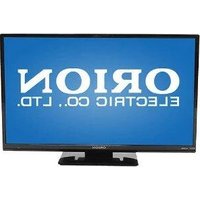
794 - Television ORION - Free user manual and instructions
Find the device manual for free 794 ORION in PDF.


Pick your language and provide your email: we'll send you a specifically translated version.
| Product Type | Television |
| Brand | Orion |
| Model | 794 |
| Display Type | LED |
| Screen Diagonal | 32 inches |
| Resolution | HD Ready (1366 x 768) |
| Power Supply | AC 100-240V, 50/60Hz |
| Power Consumption | 60W (operating) |
| Dimensions (W x H x D) | 730 x 480 x 180 mm (with stand) |
| Weight | 8 kg |
| Audio Output | 2 x 10W |
| Connectivity | 2x HDMI, 1x USB, VGA, AV input |
| Tuner | Built-in digital tuner |
| Main Functions | Auto Channel Scan, Sleep Timer, Child Lock |
| Remote Control | Included (batteries included) |
| User Manual | 54 pages, English, downloadable PDF |
| Cleaning and Maintenance | Disconnect power, wipe with soft dry cloth |
| Safety Warnings | Avoid water contact, do not block vents |
| Spare Parts and Repairability | Contact authorized service center; no user-serviceable parts inside |
| Energy Efficiency Class | A |
Frequently Asked Questions - 794 ORION
How do I connect external devices to my Orion 794 TV?
Use the HDMI, USB, or VGA ports to connect devices like DVD players, gaming consoles, or computers. After connecting, press the Input button on the remote to select the correct source.
How do I perform a channel scan on this TV?
Press the Menu button, navigate to Channel or Tuning, select Auto Scan, and press OK. The TV will automatically search for available channels.
How do I set a sleep timer?
Press the Sleep button on the remote control to cycle through timer options such as 30, 60, or 90 minutes. The TV will turn off automatically after the selected period.
What should I do if the TV screen is dirty?
Disconnect the power adaptor, then gently wipe the screen with a soft dry cloth. Avoid using water or chemical cleaners, as they may damage the display.
Why does my TV not turn on?
First, check the power cord connection and ensure the outlet is functional. Try pressing the power button on the TV itself. If it still does not turn on, contact technical support for further assistance.
How do I adjust picture quality?
Navigate to the Picture settings via the Menu. Adjust brightness, contrast, color, and sharpness to your preferences.
Can I mount the TV on a wall?
Yes, if your TV has VESA mount holes. Use a compatible wall mount kit, secure the brackets, and ensure the wall can support the TV's weight.
How do I reset the TV to factory settings?
Go to Settings, find Reset or Factory Reset, and confirm your choice. This restores the TV to its original factory state, erasing all saved channels and preferences.
What input sources are available for watching content?
You can watch digital terrestrial TV via its built-in tuner, or connect external devices such as cable boxes, satellite receivers, or streaming media players through the HDMI input.
Is the remote control included with the TV?
Yes, an IR remote control and batteries are included in the package for convenient operation of all main functions.
User questions about 794 ORION
0 question about this device. Answer the ones you know or ask your own.
Ask a new question about this device
No questions yet. Be the first to ask one.
Download the instructions for your Television in PDF format for free! Find your manual 794 - ORION and take your electronic device back in hand. On this page are published all the documents necessary for the use of your device. 794 by ORION.
USER MANUAL 794 ORION


Manual assistant
Powered by Anthropic
Waiting for your message
Product information
Brand : ORION
Model : 794
Category : Television