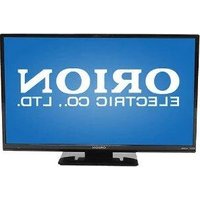
790 - Television ORION - Free user manual and instructions
Find the device manual for free 790 ORION in PDF.


Pick your language and provide your email: we'll send you a specifically translated version.
| Product Type | Television |
| Brand | Orion |
| Model | 790 |
| Screen Size | 32 inches (estimated) |
| Resolution | HD Ready (1366 x 768) |
| Display Technology | LED |
| Dimensions (with stand) | 73.5 x 48.1 x 20.7 cm (estimated) |
| Dimensions (without stand) | 73.5 x 43.3 x 8.2 cm (estimated) |
| Weight | 4.5 kg (estimated) |
| Power Supply | AC 100-240V, 50/60Hz |
| Power Consumption (typical) | 50 W |
| Standby Power Consumption | < 0.5 W |
| Energy Efficiency Class | A (estimated) |
| Connectivity | 2 x HDMI, 1 x USB, 1 x AV, 1 x RF, 1 x CI Slot |
| Tuner | DVB-T/T2/C |
| Sound Output | 2 x 8W |
| Remote Control | Included (batteries required) |
| Wall Mount VESA | 200 x 200 mm (estimated) |
| Cleaning Instructions | Wipe with a soft, dry cloth. Do not use harsh chemicals. |
| Safety Warnings | Do not block ventilation slots; avoid exposure to rain or moisture. |
Frequently Asked Questions - 790 ORION
How do I connect my television to a cable or antenna?
Connect the coaxial cable from your antenna or cable provider to the RF Input on the back of the TV. Then go to Menu > Channels > Auto Tuning to scan for channels.
Can I mount this TV on a wall?
Yes, the 790 model supports VESA 200x200mm wall mounting. Use a compatible wall mount bracket and follow the instructions. Ensure the wall can support the TV's weight.
What type of remote control does the Orion 790 use?
The TV comes with a standard infrared remote control. It requires two AAA batteries (not included).
How do I clean the screen?
Turn off the TV and unplug it. Use a soft, dry microfiber cloth to gently wipe the screen. Avoid using paper towels or any harsh chemicals.
Why is there no sound from the TV?
First, check if the volume is muted or set too low. Ensure external speakers or headphones are not connected. Also verify the audio settings in the Menu > Sound.
How do I connect an external device like a DVD player?
Use an HDMI cable to connect the device to any HDMI port on the TV. Alternatively, you can use the AV input with a composite cable (red/white/yellow).
What should I do if the TV won't turn on?
Make sure the power cord is securely plugged into both the TV and a working outlet. Try pressing the power button on the TV itself. If still not working, unplug for 60 seconds and try again.
How can I set up parental controls?
Go to Menu > Settings > Parental Lock. You will need to enter a PIN code (default is usually 0000). Then you can block channels or set viewing time limits.
Can I update the software on my Orion 790?
This model may support firmware updates via USB. Check the manufacturer's website for the latest update. Download the file, copy it to a USB drive, and insert into the TV's USB port. Follow the on-screen instructions.
What is the best picture mode for ordinary viewing?
For everyday viewing, select Standard or Dynamic mode from the Picture Settings menu. You can adjust brightness, contrast, and sharpness to your preference.
User questions about 790 ORION
0 question about this device. Answer the ones you know or ask your own.
Ask a new question about this device
No questions yet. Be the first to ask one.
Download the instructions for your Television in PDF format for free! Find your manual 790 - ORION and take your electronic device back in hand. On this page are published all the documents necessary for the use of your device. 790 by ORION.
USER MANUAL 790 ORION
Audio/Video Anschlüsse....49
natural_image
Illustration of a vintage computer setup with a power outlet, paper sheet, and wiring (no text or symbols)natural_image
Illustration of a computer monitor with X marks on top and a stack of books with X marks on the right side (no text or symbols)natural_image
Illustration of a computer monitor with a cup on top emitting a device, connected to an electrical plug (no text or symbols present)natural_image
Illustration of a hand using a screwdriver to test a computer monitor on a power outlet (no text or symbols present)natural_image
Illustration of hands holding a handheld device with buttons and wires (no text or symbols visible)natural_image
Illustration of a satellite connected to an electrical device with lightning bolts and power plug (no text or symbols)natural_image
Diagram of a computer monitor connected to an electrical outlet via cable (no text or symbols)Rückseite

natural_image
Simple line drawing of a three chasing recycling symbol (no text or labels)natural_image
Illustration of a hand using a power plug to test electrical components, with a magnified view showing a switch and resistor (no text or symbols present)natural_image
Illustration of a person using a device to interact with an antenna and a computer monitor (no text or symbols present)natural_image
Illustration of hands holding a handheld device with buttons and a clip (no text or symbols visible)natural_image
Illustration of a hand interacting with a vertical screen displaying multiple rectangular blocks (no text or symbols visible)
natural_image
Two soccer players in action, one kicking the ball while the other assists (no text or symbols visible)natural_image
Illustration showing a hand interacting with a control panel and a textured surface with a starburst symbol (no text or symbols present)natural_image
Illustration of a hand interacting with a keyboard (no text or symbols visible)
Programm 0-9
natural_image
Illustration of a hand pressing down on a film strip (no text or symbols visible)
Programm 10-99
Am Gerät:
natural_image
Illustration of a hand pointing at a vertical grid pattern (no text or symbols)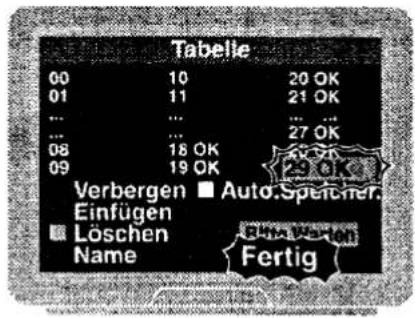
natural_image
Two soccer players in action, one kicking the ball while the other pushes the ball (no text or symbols visible)natural_image
Hand pointing at a control panel with buttons (no text or symbols visible)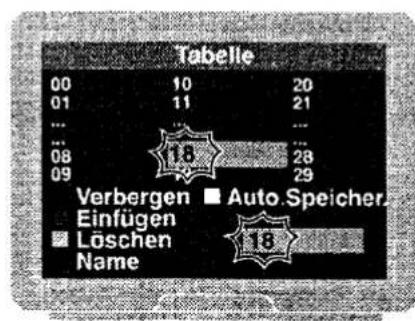


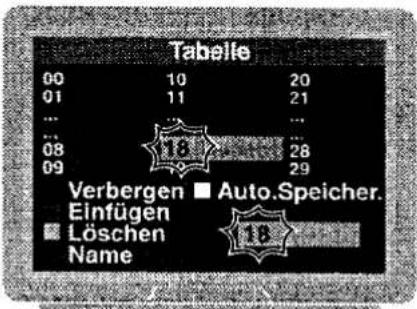


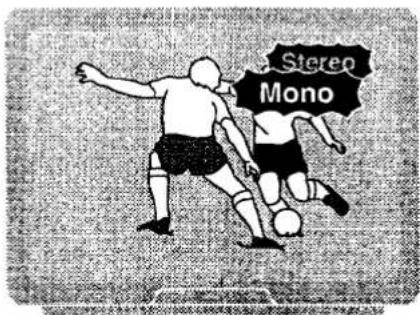
Am Gerät:
1 - SUB-Taste drücken.
natural_image
Illustration of a hand pointing at a vertical grid of rectangular blocks (no text or symbols)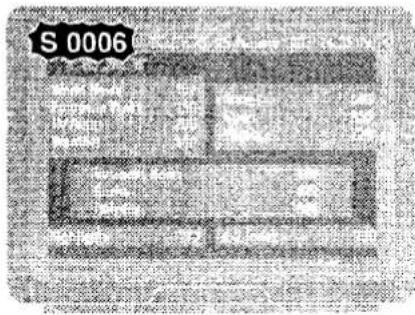
Audio/Video Anschlüsse
D
382.004


natural_image
Two soccer players in action, one blocking the ball while the other assists (no text or symbols visible)


Table of contents
Click a title to access it
Manual assistant
Powered by Anthropic
Waiting for your message
Product information
Brand : ORION
Model : 790
Category : Television