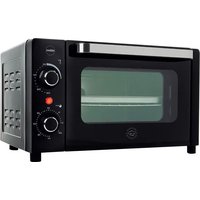
ONEV PR500 - Oven Eldom - Free user manual and instructions
Find the device manual for free ONEV PR500 Eldom in PDF.


Pick your language and provide your email: we'll send you a specifically translated version.
| Product type | Electric tabletop oven |
| Brand | Eldom |
| Model | ONEV PR500 |
| Supply voltage | 220-240 V, 50 Hz |
| Rated power | 2000 W |
| Usable capacity | 40 l |
| Temperature range | 100-250 °C |
| External dimensions (W x D x H) | 55 x 40 x 35 cm |
| Net weight | 12 kg |
| Convection | Yes |
| Grill function | Yes |
| Interior lighting | Yes |
| Timer | 0-120 minutes |
| Number of rack positions | 3 |
| Door type | Double glass |
| Equipment | 2 baking trays |
| Interior coating | Enameled, easy to clean |
| Safety features | Thermal cut-off, cool handle |
| Spare parts | Available at authorized service center |
| Warranty | 24 months |
| Control method | Mechanical knobs |
| Housing color | Stainless steel / black |
| Noise level | Below 60 dB |
Frequently Asked Questions - ONEV PR500 Eldom
How to turn on the Eldom ONEV PR500 oven?
Plug the appliance into a socket, set the cooking mode knob, then set the temperature knob to the desired value. The oven will start working, and the indicator light will go out when the set temperature is reached.
How to clean the inside of the oven?
Before cleaning, disconnect the appliance from the power supply and wait until it cools completely. Remove the trays and accessories, and wipe the inside with a damp cloth with a little mild detergent. Avoid rough sponges and aggressive cleaning agents.
What to do if the oven does not heat up?
Check whether the appliance is correctly connected to the power supply and whether the correct operating mode and temperature are selected. If the problem persists, contact an authorized service center - do not attempt to repair the appliance yourself.
Can you use aluminum foil in the oven?
Yes, but avoid covering the entire tray with foil to not block hot air circulation. Do not place foil directly on the heating elements - this may damage the appliance.
How to set the timer on the ONEV PR500 oven?
Turn the timer knob to the right to set the desired time (up to 120 minutes). After the set time elapses, the oven will emit an audible signal and automatically turn off the heating (depending on the mode).
Does the oven have a defrost function?
We recommend using the convection mode at a low temperature (below 100°C) to defrost products. The manual contains detailed guidelines for the various operating modes.
How to replace the light bulb inside the oven?
Disconnect the appliance from the mains, remove the glass cover (if present), and unscrew the burned-out bulb. Screw in a new one with the same specifications (e.g., E14, 15 W). If you are not sure, contact the service center.
Are the oven doors safe for children?
The oven is equipped with a double glass that reduces the outside temperature, and a cool handle. However, for safety reasons, do not leave small children unattended near a working appliance.
What trays can I use in this oven?
You can use trays and ovenproof dishes suitable for high temperatures. We recommend using the included trays or dishes with dimensions not exceeding 40 cm x 30 cm.
What does the convection symbol on the oven mean?
The convection mode (fan) ensures even distribution of hot air inside the oven. Thanks to this, dishes bake faster and more evenly, and you can bake on several trays at the same time on one level.
User questions about ONEV PR500 Eldom
0 question about this device. Answer the ones you know or ask your own.
Ask a new question about this device
No questions yet. Be the first to ask one.
Download the instructions for your Oven in PDF format for free! Find your manual ONEV PR500 - Eldom and take your electronic device back in hand. On this page are published all the documents necessary for the use of your device. ONEV PR500 by Eldom.
USER MANUAL ONEV PR500 Eldom


Manual assistant
Powered by Anthropic
Waiting for your message
Product information
Brand : Eldom
Model : ONEV PR500
Category : Oven