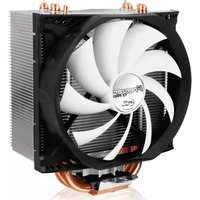
ARCTIC COOLING

F9 Pro PWM PST - Computer Cooling Component ARCTIC COOLING - Free user manual and instructions

Find the device manual for free F9 Pro PWM PST ARCTIC COOLING in PDF.

📄 6 pages English EN Download 💬 AI Question 10 questions ⚙️ Specs
Notice ARCTIC COOLING F9 Pro PWM PST - page 3
Pick your language and provide your email: we'll send you a specifically translated version.
Product Type Computer Cooling Component
Fan Size 92 mm
Dimensions 92 x 92 x 25 mm
Weight 90 g
Rated Voltage 12 V DC
Connector 4-pin PWM
Speed Range 300 - 1800 RPM
Airflow 43 CFM
Noise Level 0.45 Sone
Bearing Type Fluid Dynamic Bearing
PWM Support Yes
PST (PWM Sharing Technology) Yes
Cable Length 400 mm
Lifespan 60,000 hours
Maintenance Clean with a soft dry cloth
Safety Warning Disconnect from power before cleaning
Included Accessories Mounting screws, PST connector
Warranty 6 years

Frequently Asked Questions - F9 Pro PWM PST ARCTIC COOLING

What is the difference between PWM and PST?
PWM (Pulse Width Modulation) allows the motherboard to control fan speed. PST (PWM Sharing Technology) lets you daisy-chain additional fans to one PWM header, so all fans are controlled together.
How do I install the F9 Pro PWM PST fan?
Mount the fan to your case using the provided screws, aligning the arrow on the fan frame with the desired airflow direction. Then connect the 4-pin connector to a PWM header on your motherboard.
Can I control the fan speed manually?
Yes, if your motherboard supports PWM control, you can adjust speed in the BIOS or via software. Alternatively, use a fan controller with PWM support.
What is the airflow and noise level?
The fan delivers 43 CFM of airflow while producing only 0.45 Sone of noise, making it quiet yet efficient for most cooling needs.
Which CPU coolers or radiators is this fan compatible with?
This is a 92mm fan designed for case ventilation. It can be used on CPU coolers or radiators that support 92mm fan mounting holes.
How do I clean the fan?
Unplug the fan from power. Use a soft dry cloth or compressed air to gently remove dust from the blades and frame. Do not use water or liquid cleaners.
What is the lifespan of the fan?
The fluid dynamic bearing provides a rated lifespan of 60,000 hours of continuous operation, ensuring long-term reliability.
Does the PST feature require special wiring?
No, each PST fan includes a male and female 4-pin connector. Plug the male into the motherboard, and connect additional PST fans to the female connector.
Can I use this fan in a 5V system?
It is designed for 12V operation. Running at 5V may prevent it from starting or reduce performance significantly.
Is the fan suitable for silent PC builds?
Yes, with a minimum speed of 300 RPM and a noise level as low as 0.45 Sone, it is excellent for quiet builds, especially when using PWM control.

User questions about F9 Pro PWM PST ARCTIC COOLING

0 question about this device. Answer the ones you know or ask your own.

Ask a new question about this device

The email remains private: it is only used to notify you if someone responds to your question.

No questions yet. Be the first to ask one.

Download the instructions for your Computer Cooling Component in PDF format for free! Find your manual F9 Pro PWM PST - ARCTIC COOLING and take your electronic device back in hand. On this page are published all the documents necessary for the use of your device. F9 Pro PWM PST by ARCTIC COOLING.

USER MANUAL F9 Pro PWM PST ARCTIC COOLING
Manual assistant
Powered by Anthropic
Waiting for your message
Product information

Brand : ARCTIC COOLING

Model : F9 Pro PWM PST

Category : Computer Cooling Component