RP-BT10 - Headphones PANASONIC - Free user manual and instructions
Find the device manual for free RP-BT10 PANASONIC in PDF.


Pick your language and provide your email: we'll send you a specifically translated version.
| Product Type | Wireless Bluetooth Headphones |
| Brand | Panasonic |
| Model | RP-BT10 |
| Color Options | White, Black |
| Bluetooth Version | 3.0 |
| Wireless Range | Approx. 10 m (30 ft) |
| Driver Unit | 30 mm |
| Impedance | 32 Ω |
| Frequency Response | 20 - 20,000 Hz |
| Sensitivity | 100 dB |
| Microphone Sensitivity | -42 dB |
| Battery Type | Built-in Rechargeable Lithium-Ion |
| Playback Time | Up to 15 hours |
| Talk Time | Up to 15 hours |
| Standby Time | Up to 200 hours |
| Charging Time | Approx. 2.5 hours |
| Dimensions (W x H x D) | Approx. 180 x 160 x 40 mm |
| Weight | Approx. 180 g |
| Controls | Volume, Play/Pause, Call Answer/End |
| Carrying Case Included | No |
| Included Accessories | USB Charging Cable, Instruction Manual |
| Maintenance | Wipe with a soft dry cloth |
| Safety Precautions | Do not disassemble, avoid extreme temperatures |
| Repairability | Earpads replaceable; battery service by authorized center |
Frequently Asked Questions - RP-BT10 PANASONIC
How do I pair the Panasonic RP-BT10 headphones with my device?
To pair, ensure the headphones are off. Press and hold the power button until the indicator light flashes red and blue alternately. On your device, search for Bluetooth devices and select "Panasonic RP-BT10". If prompted for a PIN, enter 0000.
How do I charge the RP-BT10 headphones?
Use the included USB cable to connect the headphones to a USB power source (e.g., computer or wall charger). The red LED turns on during charging and switches off when fully charged. Charging time is approximately 2.5 hours.
What is the battery life of the RP-BT10?
The battery provides up to 15 hours of music playback or talk time, and up to 200 hours in standby mode. Actual battery life may vary depending on volume and usage.
Can I connect the RP-BT10 to multiple devices?
The RP-BT10 does not support multipoint connection. It can only be connected to one device at a time. To switch devices, disconnect from the current device and pair with the new one.
How do I reset the RP-BT10 headphones?
If the headphones are unresponsive, perform a reset by turning them off, then press and hold the power button for 10 seconds until the indicator light flashes quickly. This will clear the pairing list and restart the device.
Are the RP-BT10 headphones sweatproof or waterproof?
No, the RP-BT10 are not sweatproof or waterproof. Avoid exposure to moisture or rain to prevent damage.
How do I replace the earpads on the RP-BT10?
The earpads are replaceable. Gently pull the old earpads off the ear cups. Align the new earpads and press them onto the ear cups until they click securely. Replacement earpads can be purchased from Panasonic service centers.
What does each color of the LED indicator mean?
Flashing red and blue: Pairing mode. Solid blue: Connected to a device. Flashing blue slowly: Standby/Connected idle. Solid red: Charging. Red off: Fully charged. Flashing red: Low battery.
Can I use the RP-BT10 while charging?
No, the headphones cannot be used while charging. You must unplug the USB cable before use.
How do I clean the Panasonic RP-BT10 headphones?
Use a soft, dry cloth to wipe the headphone surfaces. Do not use alcohol, solvents, or abrasive cleaners. Keep the ear cups and headband free from dust and dirt.
User questions about RP-BT10 PANASONIC
0 question about this device. Answer the ones you know or ask your own.
Ask a new question about this device
No questions yet. Be the first to ask one.
Download the instructions for your Headphones in PDF format for free! Find your manual RP-BT10 - PANASONIC and take your electronic device back in hand. On this page are published all the documents necessary for the use of your device. RP-BT10 by PANASONIC.
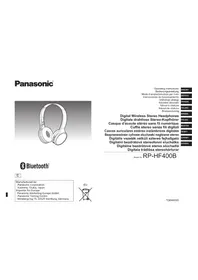
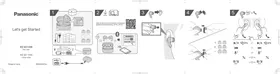
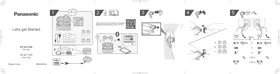
USER MANUAL RP-BT10 PANASONIC


Manual assistant
Powered by Anthropic
Waiting for your message
Product information
Brand : PANASONIC
Model : RP-BT10
Category : Headphones