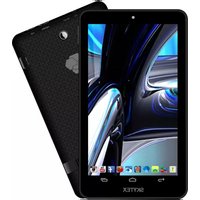
Skypad SP910 - Tablet Skytex - Free user manual and instructions
Find the device manual for free Skypad SP910 Skytex in PDF.


Pick your language and provide your email: we'll send you a specifically translated version.
| Product type | Tablet |
| Brand | Skytex |
| Model | Skypad SP910 |
| Display size | 9.7 inches |
| Dimensions (W x H x D) | 240 x 185 x 9.5 mm |
| Weight | 580 g |
| Power supply | Rechargeable lithium-ion battery, 5V DC via USB |
| Battery capacity | 6000 mAh |
| Processor | 1.2 GHz quad-core |
| Operating system | Android 4.x |
| Memory (RAM) | 1 GB |
| Storage | 8 GB, expandable via microSD |
| Main functions | Web browsing, email, multimedia playback, apps, Wi-Fi connectivity |
| Cleaning and maintenance | Wipe with soft dry cloth; avoid liquids and abrasives |
| Safety | Keep away from water, heat, and magnetic fields; use only approved charger |
| Spare parts and repairability | Limited; contact manufacturer or authorized service center |
| General information | Skytex Skypad SP910 is an entry-level tablet designed for basic computing tasks |
Frequently Asked Questions - Skypad SP910 Skytex
How do I turn on the Skypad SP910?
Press and hold the power button located on the top edge until the screen lights up.
How can I extend battery life?
Lower screen brightness, disable Wi-Fi when not in use, and close unused apps via the recent apps button.
What type of charger does it use?
It uses a standard micro USB cable with a 5V output. Use only the charger provided with the device.
Can I use a microSD card?
Yes, the Skypad SP910 supports microSD cards up to 32 GB. Insert it into the slot on the side.
How do I perform a factory reset?
Go to Settings > Backup & reset > Factory data reset. Note: This erases all data on the device.
Why is my tablet running slow?
Clear app caches, uninstall unused apps, and check for system updates in Settings to improve performance.
How do I connect to Wi-Fi?
Go to Settings > Wi-Fi, toggle it on, select your network, and enter the password.
Is the tablet compatible with Bluetooth devices?
Yes, it supports Bluetooth 4.0 for connecting keyboards, speakers, and headphones.
What should I do if the screen freezes?
Press and hold the power button for 10 seconds to force restart the device.
How do I clean the screen safely?
Use a soft, lint-free microfiber cloth slightly dampened with water. Do not spray directly on the screen.
User questions about Skypad SP910 Skytex
0 question about this device. Answer the ones you know or ask your own.
Ask a new question about this device
No questions yet. Be the first to ask one.
Download the instructions for your Tablet in PDF format for free! Find your manual Skypad SP910 - Skytex and take your electronic device back in hand. On this page are published all the documents necessary for the use of your device. Skypad SP910 by Skytex.
USER MANUAL Skypad SP910 Skytex
Manual assistant
Powered by Anthropic
Waiting for your message
Product information
Brand : Skytex
Model : Skypad SP910
Category : Tablet