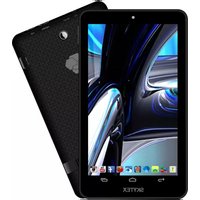
Skypad SP736 - Tablet Skytex - Free user manual and instructions
Find the device manual for free Skypad SP736 Skytex in PDF.


Pick your language and provide your email: we'll send you a specifically translated version.
| Product Type | Tablet |
| Brand | Skytex |
| Model | Skypad SP736 |
| Display Size | 7.0 inches |
| Resolution | 1024 x 600 pixels |
| Processor | Quad-core 1.3 GHz |
| RAM | 1 GB |
| Internal Storage | 8 GB |
| Expandable Storage | microSD up to 32 GB |
| Operating System | Android 4.2 Jelly Bean |
| Battery Capacity | 3000 mAh |
| Charging | DC 5V via USB |
| Camera (Rear) | 2 MP |
| Camera (Front) | 0.3 MP |
| Connectivity | Wi-Fi 802.11 b/g/n, Bluetooth 4.0 |
| Ports | Micro USB, 3.5mm headphone jack |
| Dimensions | 192 x 122 x 10.5 mm |
| Weight | 350 g |
| Cleaning | Wipe with a soft, dry cloth. Do not use liquids. |
| Safety | Avoid prolonged exposure to direct sunlight. Keep away from water. |
| Spare Parts | Contact Skytex customer support for replacement parts. |
| Repairability | Repairs should be carried out by qualified personnel. |
Frequently Asked Questions - Skypad SP736 Skytex
How do I turn on the Skypad SP736 for the first time?
Press and hold the power button located on the side of the tablet until the screen lights up. Follow the on-screen setup wizard to configure language, Wi-Fi, and Google account.
How can I expand the storage on my Skypad SP736?
The tablet supports microSD cards up to 32 GB. Insert the card into the microSD slot, typically found on the side or under a cover. Once inserted, go to Settings > Storage to manage it.
Why is my tablet not charging?
Ensure the USB cable is firmly connected to the tablet and a power source. Try a different cable or charger. If the battery is completely drained, allow it to charge for at least 15 minutes before attempting to power on.
How do I take a screenshot?
Press and hold the Power button and Volume Down button simultaneously for a few seconds. The screen will flash and the screenshot will be saved in the Gallery or Screenshots folder.
Can I connect Bluetooth devices to the Skypad SP736?
Yes. Go to Settings > Bluetooth and turn it on. Your tablet will scan for nearby devices. Select the device you want to pair and follow any prompts. Bluetooth version is 4.0.
How do I perform a factory reset?
Go to Settings > Backup & reset > Factory data reset. Confirm the action. This will erase all data, so back up important files first. Alternatively, you can reset from Recovery Mode by holding Power + Volume Up during boot.
What should I do if the touchscreen is not responding?
First, clean the screen with a soft, dry cloth. Remove any screen protector. If the issue persists, restart the tablet by holding the power button for 10 seconds. If still unresponsive, try a factory reset or contact support.
How do I update the operating system?
Go to Settings > About tablet > System updates. The device will check for updates. Follow the instructions to download and install any available updates. Note that the Skypad SP736 runs Android 4.2 and may not receive newer versions.
Can I use the tablet while it is charging?
Yes, you can use the tablet while it is charging. However, it may charge more slowly, especially if you are using power-intensive apps. For optimal charging, leave the tablet in standby.
Where can I find the user manual for the Skypad SP736?
The user manual can be downloaded in PDF format from notice-facile.com or from the Skytex official website. On our site, simply click the download button on the product page.
User questions about Skypad SP736 Skytex
0 question about this device. Answer the ones you know or ask your own.
Ask a new question about this device
No questions yet. Be the first to ask one.
Download the instructions for your Tablet in PDF format for free! Find your manual Skypad SP736 - Skytex and take your electronic device back in hand. On this page are published all the documents necessary for the use of your device. Skypad SP736 by Skytex.
USER MANUAL Skypad SP736 Skytex
Manual assistant
Powered by Anthropic
Waiting for your message
Product information
Brand : Skytex
Model : Skypad SP736
Category : Tablet