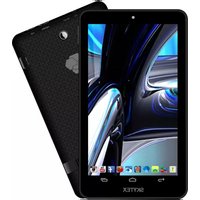
Skypad SP1026 - Tablet Skytex - Free user manual and instructions
Find the device manual for free Skypad SP1026 Skytex in PDF.


Pick your language and provide your email: we'll send you a specifically translated version.
| Product Type | Tablet |
| Brand | Skytex |
| Model | Skypad SP1026 |
| Screen Size | 7 inches |
| Operating System | Android 4.x (estimated) |
| Processor | 1 GHz ARM Cortex-A8 (estimated) |
| RAM | 1 GB |
| Internal Storage | 8 GB |
| Expandable Storage | microSD card (up to 32 GB) |
| Connectivity | Wi-Fi 802.11 b/g/n, Bluetooth 4.0 |
| Front Camera | 0.3 MP (VGA) |
| Battery Capacity | 3000 mAh Li-Ion |
| Weight | 300 g (estimated) |
| Dimensions | 190 x 110 x 10 mm (estimated) |
| Ports | microUSB 2.0, 3.5 mm headphone jack |
| Sensors | Accelerometer, G-sensor |
| Power Supply | 5V 1A via microUSB |
| Cleaning | Wipe with a soft, dry cloth. Avoid liquids and abrasive cleaners. |
| Safety | Do not expose to high temperatures or moisture. Keep away from children under 3 years. |
| Spare Parts | Contact Skytex support for battery, screen, and charger replacements. |
Frequently Asked Questions - Skypad SP1026 Skytex
How do I turn on the Skypad SP1026?
Press and hold the power button located on the top edge for about 3 seconds until the screen lights up.
What should I do if the tablet won't charge?
Ensure the microUSB cable is fully inserted. Try a different charger or cable. If the issue persists, the battery may need replacement.
How to insert a microSD card?
Locate the microSD slot on the side. Gently push the card in until it clicks. To remove, push it in again to release.
Can I connect the tablet to a TV?
The Skypad SP1026 does not have an HDMI output. You can use a Miracast adapter if supported, or stream via apps.
How to factory reset?
Go to Settings > Backup & reset > Factory data reset. This erases all data, so back up first.
Why is the screen unresponsive?
Clean the screen with a soft cloth. If still unresponsive, try a force restart by holding the power button for 10 seconds.
How to update the operating system?
Check for updates in Settings > About device > System updates. Note that Skytex may no longer provide updates for this model.
Does the tablet support GPS?
No, the Skypad SP1026 likely does not have a built-in GPS module. Location can be approximated via Wi-Fi networks.
What is the battery life?
With typical usage, the 3000 mAh battery lasts about 4-6 hours, depending on brightness and tasks.
How to clean the tablet safely?
Power off the tablet. Use a soft, lint-free cloth slightly dampened with water (not wet). Avoid getting moisture in ports.
User questions about Skypad SP1026 Skytex
0 question about this device. Answer the ones you know or ask your own.
Ask a new question about this device
No questions yet. Be the first to ask one.
Download the instructions for your Tablet in PDF format for free! Find your manual Skypad SP1026 - Skytex and take your electronic device back in hand. On this page are published all the documents necessary for the use of your device. Skypad SP1026 by Skytex.
USER MANUAL Skypad SP1026 Skytex
Manual assistant
Powered by Anthropic
Waiting for your message
Product information
Brand : Skytex
Model : Skypad SP1026
Category : Tablet