UGT-CR940 - Memory reader Vantec - Free user manual and instructions
Find the device manual for free UGT-CR940 Vantec in PDF.


Pick your language and provide your email: we'll send you a specifically translated version.
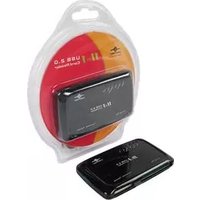
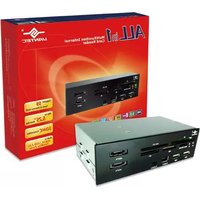
| Product Type | Memory Card Reader |
| Model | UGT-CR940 |
| Brand | Vantec |
| Supported Cards | SD, SDHC, SDXC, microSD, microSDHC, microSDXC, CF, MS, M2 |
| Interface | USB 3.0 (backward compatible with USB 2.0) |
| Transfer Speed | Up to 5 Gbps |
| Operating System | Windows, macOS, Linux (no driver required) |
| Power Source | USB bus-powered |
| Dimensions | Approx. 70 x 20 x 10 mm |
| Weight | Approx. 20 g |
| Material | Plastic casing |
| LED Indicator | Power/Access LED |
| Hot Swap | Yes |
| Plug & Play | Yes |
| Compliance | CE, FCC, RoHS |
| Color | Black |
| Cable Length | Built-in cable, approx. 15 cm |
Frequently Asked Questions - UGT-CR940 Vantec
What memory card formats does the Vantec UGT-CR940 support?
The UGT-CR940 supports a wide range of memory cards including SD, SDHC, SDXC, microSD, microSDHC, microSDXC, CompactFlash (CF), Memory Stick (MS), and M2 cards.
Does the UGT-CR940 require any drivers to be installed?
No, the UGT-CR940 is plug-and-play and does not require any additional drivers for Windows, macOS, or Linux systems.
Is the UGT-CR940 compatible with USB 2.0 ports?
Yes, it is backward compatible with USB 2.0 ports, although transfer speeds will be limited to USB 2.0 rates.
What is the maximum transfer speed of the UGT-CR940?
With USB 3.0 interface, the maximum transfer speed is up to 5 Gbps, depending on the card type and system configuration.
Can I use the UGT-CR940 with my Mac or Linux computer?
Yes, the reader is compatible with macOS and Linux without additional drivers, as it uses standard mass storage protocols.
Does the UGT-CR940 have an LED indicator?
Yes, it has a built-in LED that indicates power and data access activity.
What is the size and weight of the Vantec UGT-CR940?
The approximate dimensions are 70 x 20 x 10 mm and it weighs about 20 grams.
Does the reader support simultaneous reading of multiple cards?
No, the UGT-CR940 is a single-slot reader; it can read one card at a time. Insert only one card at a time.
How do I clean the UGT-CR940?
Disconnect the device and wipe the exterior with a dry, soft cloth. Do not use liquids or abrasives.
Is the Vantec UGT-CR940 hot-swappable?
Yes, you can insert and remove cards without powering off the device, but always ensure data transfer is complete before removing.
User questions about UGT-CR940 Vantec
0 question about this device. Answer the ones you know or ask your own.
Ask a new question about this device
No questions yet. Be the first to ask one.
Download the instructions for your Memory reader in PDF format for free! Find your manual UGT-CR940 - Vantec and take your electronic device back in hand. On this page are published all the documents necessary for the use of your device. UGT-CR940 by Vantec.
USER MANUAL UGT-CR940 Vantec


Manual assistant
Powered by Anthropic
Waiting for your message
Product information
Brand : Vantec
Model : UGT-CR940
Category : Memory reader