UPAC-WIFICRD-AZ01B - Uncategorized nJoy - Free user manual and instructions
Find the device manual for free UPAC-WIFICRD-AZ01B nJoy in PDF.


Pick your language and provide your email: we'll send you a specifically translated version.
| Product Type | WiFi Adapter |
| Brand | nJoy |
| Model | UPAC-WIFICRD-AZ01B |
| Interface | USB 2.0/3.0 (typical) |
| Wireless Standards | IEEE 802.11b/g/n |
| Frequency Band | 2.4 GHz |
| Maximum Data Rate | Up to 300 Mbps |
| Security | WEP, WPA, WPA2 |
| Operating System Compatibility | Windows 10/11, macOS, Linux |
| LED Indicators | Power, Link/Activity |
| Power Source | USB bus power (5V DC) |
| Operating Temperature | 0°C to 40°C |
| Storage Temperature | -20°C to 60°C |
| Humidity | 10% to 90% non-condensing |
| Antenna | Internal (typical) |
Frequently Asked Questions - UPAC-WIFICRD-AZ01B nJoy
How do I install the nJoy UPAC-WIFICRD-AZ01B WiFi adapter?
Insert the adapter into an available USB port. The operating system should automatically install the drivers. If not, download the latest drivers from the nJoy website and run the setup.
What should I do if my computer does not recognize the adapter?
Try a different USB port. Ensure your operating system is updated. If the issue persists, reinstall the drivers or check Device Manager for conflicts.
How can I tell if the adapter is working correctly?
The LED indicator on the adapter should light up steadily when powered. A blinking LED indicates network activity. You can also check the network icon in your system tray.
What is the maximum wireless range of this adapter?
The range depends on environmental factors, but typically up to 100 meters indoors and 300 meters outdoors with clear line of sight.
Does this adapter support 5 GHz networks?
No, the UPAC-WIFICRD-AZ01B operates only on the 2.4 GHz band. It supports IEEE 802.11b/g/n standards.
Can I use this adapter with Linux?
Yes, it supports Linux. However, you may need to install open-source drivers. Check the manufacturer's website for Linux compatibility details.
How do I reset the adapter to factory settings?
This adapter does not require a reset. If you encounter issues, try deleting the device from Device Manager and reinstalling the drivers.
What security protocols does the adapter support?
It supports WEP, WPA, and WPA2 encryption. WPA2 is recommended for the best security.
Does the adapter come with a warranty?
Yes, nJoy typically provides a 1-year limited warranty. For detailed warranty information, refer to the product packaging or contact customer support.
Can I use this adapter with a Wi-Fi extender or router from another brand?
Yes, the adapter is compatible with any standard 2.4 GHz 802.11b/g/n router or access point, regardless of brand.
User questions about UPAC-WIFICRD-AZ01B nJoy
0 question about this device. Answer the ones you know or ask your own.
Ask a new question about this device
No questions yet. Be the first to ask one.
Download the instructions for your Uncategorized in PDF format for free! Find your manual UPAC-WIFICRD-AZ01B - nJoy and take your electronic device back in hand. On this page are published all the documents necessary for the use of your device. UPAC-WIFICRD-AZ01B by nJoy.
USER MANUAL UPAC-WIFICRD-AZ01B nJoy

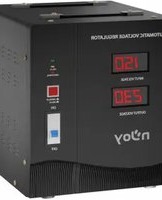
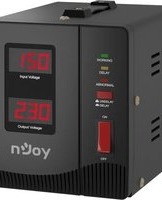
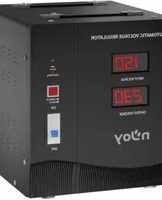
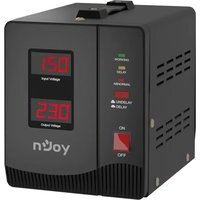
Manual assistant
Powered by Anthropic
Waiting for your message
Product information
Brand : nJoy
Model : UPAC-WIFICRD-AZ01B
Category : Uncategorized