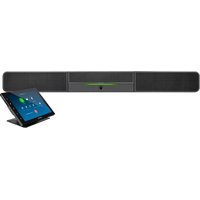
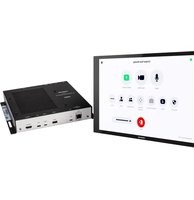
CCS-UCA-SMK - Video Conferencing System Crestron - Free user manual and instructions
Find the device manual for free CCS-UCA-SMK Crestron in PDF.


Pick your language and provide your email: we'll send you a specifically translated version.
| Product Type | Video Conferencing System |
| Brand | Crestron |
| Model | CCS-UCA-SMK |
| Dimensions (W x D x H) | 12.0 x 12.0 x 2.5 in (305 x 305 x 64 mm) |
| Weight | 2.5 lb (1.1 kg) |
| Power Source | Power over Ethernet (PoE) 802.3af |
| Audio Pickup Range | Up to 30 ft (9 m) radius |
| Microphone Elements | 32 electret condenser microphones |
| Beamforming Technology | Adaptive beamforming with automatic steering |
| Acoustic Echo Cancellation | Yes, full-duplex |
| Noise Reduction | Intelligent noise cancellation |
| Connectivity | Ethernet (RJ-45) for audio and power |
| Compatibility | Works with Crestron UC engines and third-party codecs |
| Mounting | Ceiling mount (flush or suspended) |
| LED Indicators | Mute status and power |
| Operating Temperature | 32 to 104 °F (0 to 40 °C) |
| Storage Temperature | -4 to 140 °F (-20 to 60 °C) |
| Humidity | 10% to 90% non-condensing |
| Compliance | FCC, CE, UL |
| Warranty | 3 years limited |
| What's in the Box | Microphone array, mounting kit, installation guide |
| Maintenance | Wipe with a soft, dry cloth; avoid liquids |
| Safety Instructions | Install per local building codes; do not cover ventilation |
Frequently Asked Questions - CCS-UCA-SMK Crestron
How do I connect the CCS-UCA-SMK to my video conferencing system?
Connect the device to a PoE-enabled Ethernet switch using a Cat5e or higher cable. The audio will be transmitted over the network to your Crestron UC engine or compatible codec. Ensure the system is configured via Crestron software.
Can I use this microphone without a Crestron processor?
The CCS-UCA-SMK is designed to work with Crestron UC engines or third-party codecs that support Dante or AES67 audio. It may not function as a standalone USB microphone.
How do I mute the microphone?
You can mute the microphone via the Crestron control system, touch panel, or using the optional push button remote. The LED indicator will turn red when muted.
What is the recommended mounting height?
For optimal coverage, mount the array at a height of 8 to 12 feet (2.4 to 3.7 m) above the floor, centered over the conference table.
How do I clean the microphone array?
Use a soft, lint-free cloth slightly dampened with water or a mild cleaner. Do not use abrasive cleaners or solvents. Avoid moisture entering the microphone ports.
Does the CCS-UCA-SMK support PoE+?
No, it only requires standard PoE (802.3af). Using PoE+ will not damage the device but is unnecessary.
Can I daisy-chain multiple microphone arrays?
Yes, you can connect up to six CCS-UCA-SMK arrays in a daisy-chain configuration to cover larger rooms. Each array must be powered separately via PoE.
What audio formats does it support?
The microphone outputs 48 kHz, 24-bit linear PCM audio over Ethernet using Dante or AES67 protocols, compatible with most digital audio systems.
Is there a warranty for this product?
Crestron provides a standard 3-year limited warranty covering defects in materials and workmanship. Extended warranties are available.
What do the LED lights on the array mean?
A solid green LED indicates normal operation. Red indicates muted. Flashing green indicates boot-up or network connection. No light means no power or network issue.
User questions about CCS-UCA-SMK Crestron
0 question about this device. Answer the ones you know or ask your own.
Ask a new question about this device
No questions yet. Be the first to ask one.
Download the instructions for your Video Conferencing System in PDF format for free! Find your manual CCS-UCA-SMK - Crestron and take your electronic device back in hand. On this page are published all the documents necessary for the use of your device. CCS-UCA-SMK by Crestron.
USER MANUAL CCS-UCA-SMK Crestron
Manual assistant
Powered by Anthropic
Waiting for your message
Product information
Brand : Crestron
Model : CCS-UCA-SMK
Category : Video Conferencing System